Evaluating Your Agent
The Evaluate tab helps you systematically test and measure your agent’s performance across a set of test questions. You can use this feature to monitor response quality over time and gauge the impact of changes such as prompt updates, data additions, or configuration adjustments.
Adding Test Cases
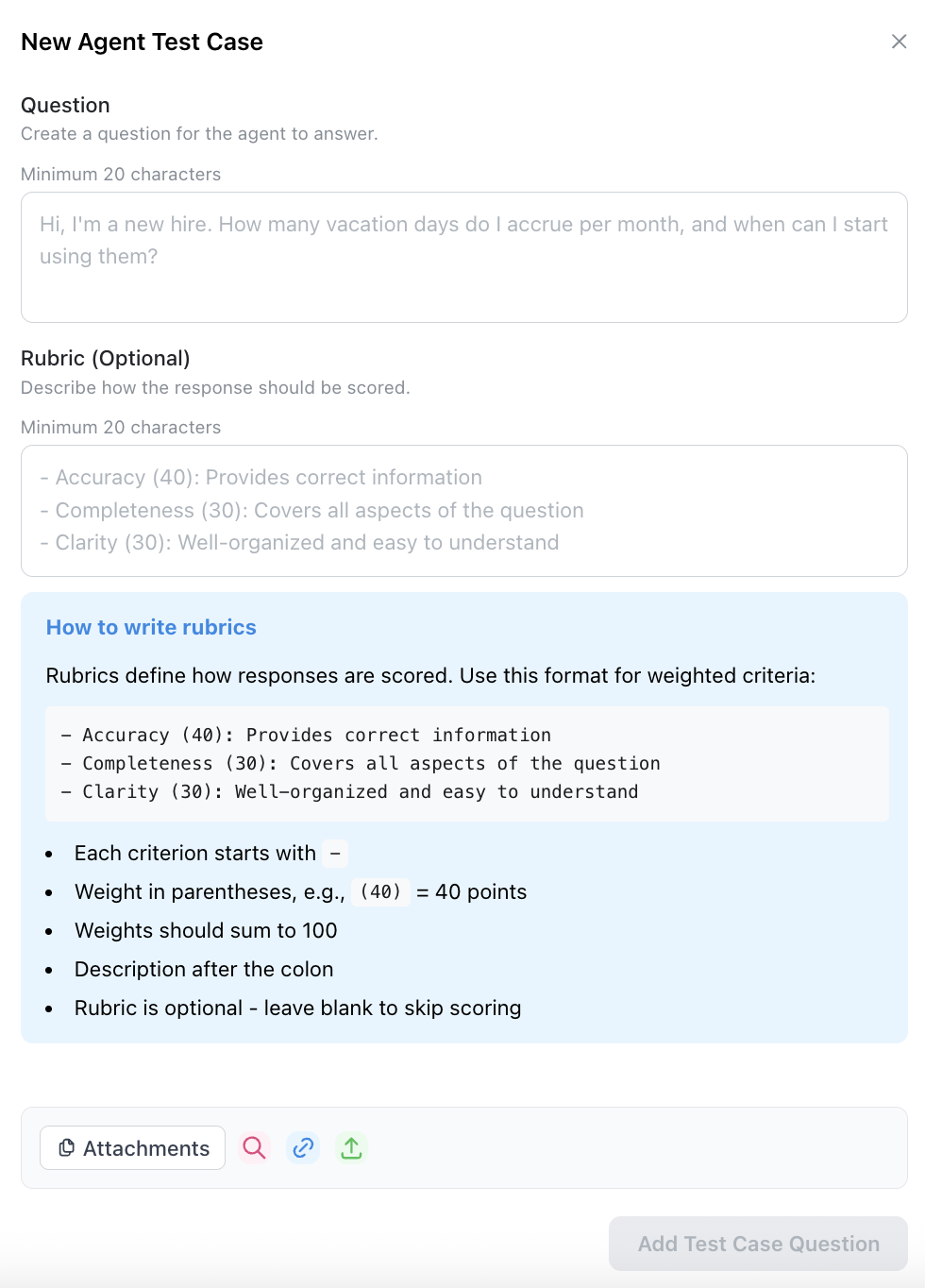
Use the “Add Test Case(s)” button to create test questions. You can optionally provide expected answers for reference, though these are not required for evaluation.

Creating Rubrics
For each test question, you can define a custom rubric that specifies what makes a good answer. Rubrics allow you to:
- Set specific criteria the answer should meet (e.g., “Must cite the XYZ document as a source”).
- Assign point values to different criteria.
- Provide scoring guidance for the evaluation.
Running Evaluations
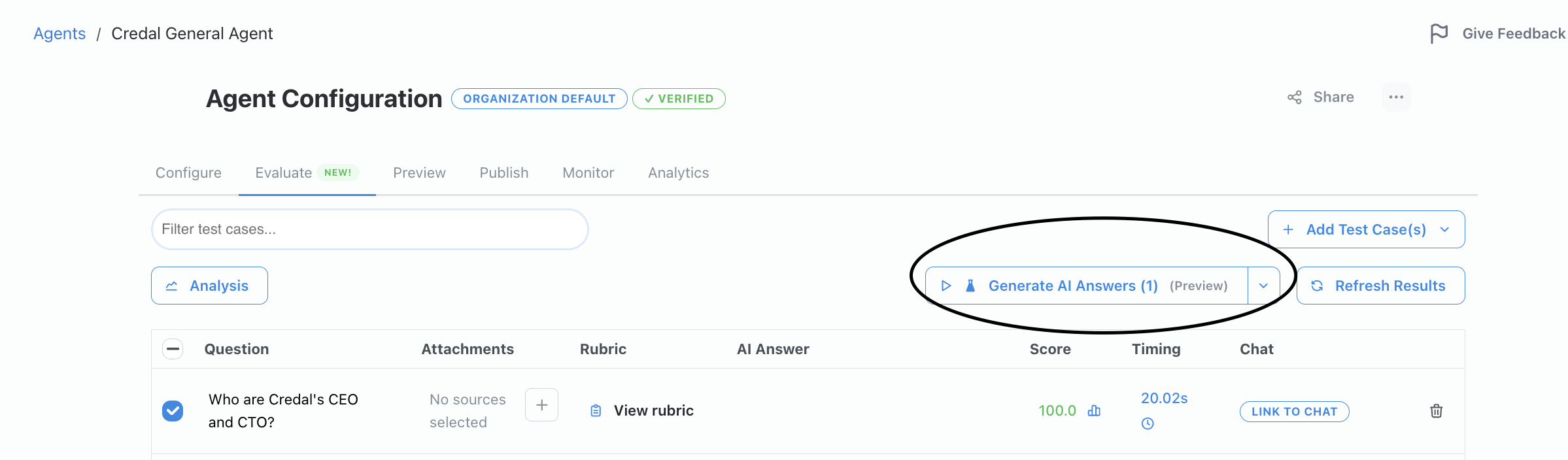
Click “Generate AI Answers” to test your agent against all questions. The agent will generate responses and automatically score them based on your defined rubrics.
Tracking Performance
- View scores for each response based on your rubric criteria.
- Compare current scores against past evaluations in the “Past Scores” column.
- Monitor how configuration changes impact agent performance across versions.
- Use version control to test different agent configurations and compare results.
Note: The Evaluate tab currently runs tests on your Preview version of the agent.
Watch a video walking you through how to use the Evaluate tab below: