

Agent Benchmark
The Benchmark tab lets you compare different model configurations side-by-side against the same set of test cases. Instead of manually switching models and re-running evaluations one at a time, you define multiple configuration variants and launch a single benchmark run that executes them all in parallel, producing a unified results view.
Setting Up Configurations
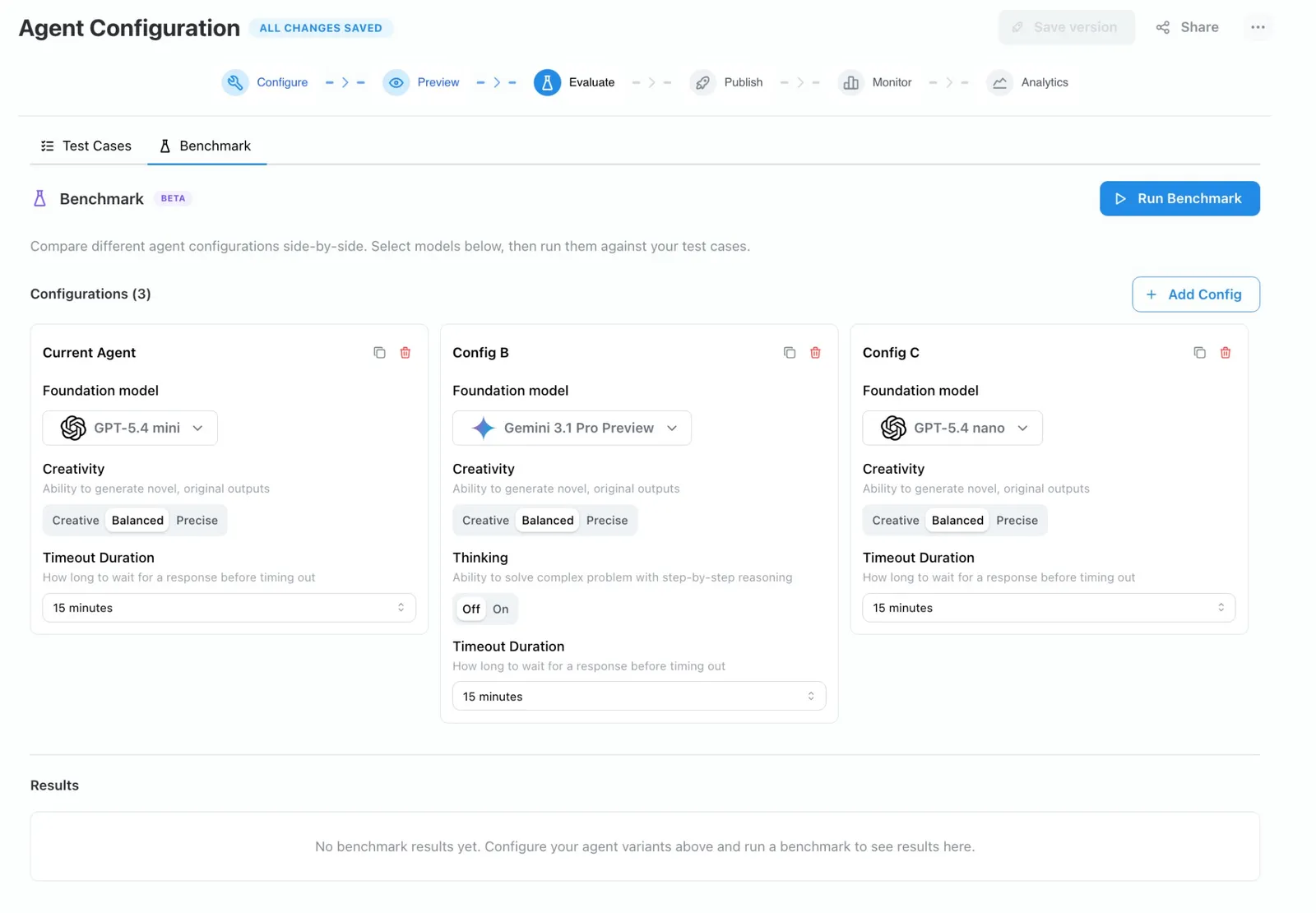
On the Evaluate → Benchmark tab, each card represents a configuration variant. The first card is seeded from your agent’s current model settings. Click + Add Config to add up to six variants.
Each configuration card exposes the following settings:
You can duplicate an existing card to use it as a starting point, or delete cards you no longer need.
Running a Benchmark
Click Run Benchmark to open the confirmation modal. The modal shows:
- Which configurations are selected.
- How many test cases will be included.
- The number of trials per test case.
- Whether configs will execute in parallel.
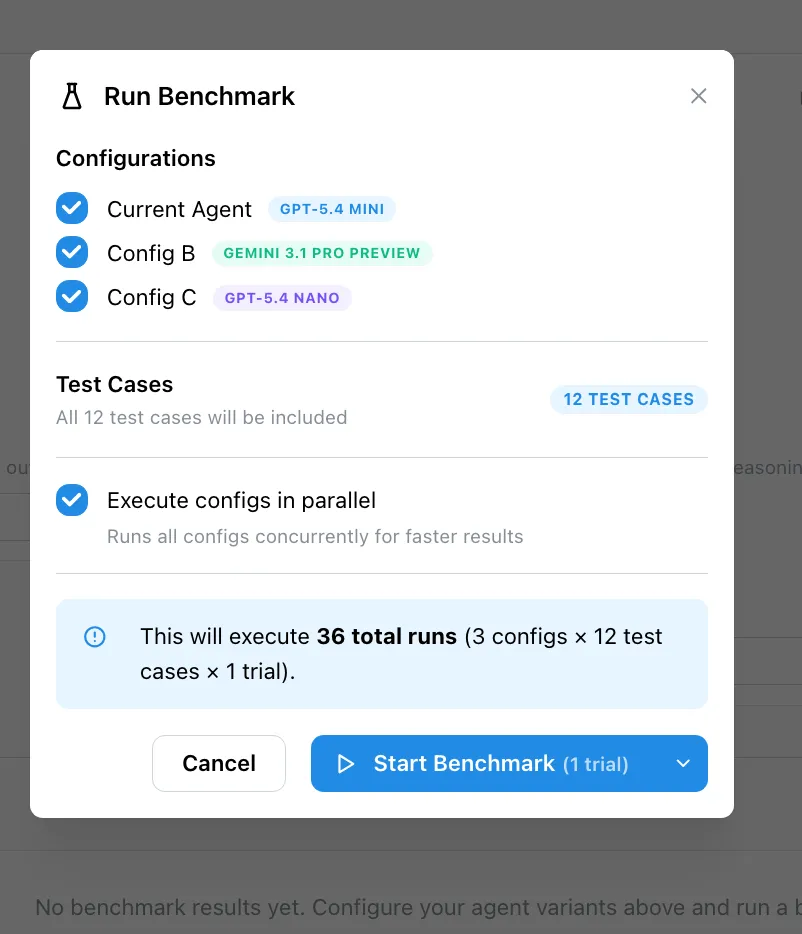
Confirming the run creates one evaluation run per configuration. Each run executes every test case independently, using the model and settings from its configuration card. Your agent’s saved configuration is never modified — the overrides exist only for the duration of the benchmark.
Enable Execute configs in parallel (on by default) to run all configurations concurrently for faster results.
Viewing Results
As runs complete, results appear in the table below the configuration cards. For each test case you can compare:
- Rubric scores — How well each configuration’s response met your scoring criteria.
- Latency — End-to-end response time per configuration.
- Completion status — Whether the agent responded successfully or timed out.
If a test case has no rubric defined, only latency and completion status are recorded.