

Agent Versions
By default you can safely make changes to your Credal agent without affecting end users relying on your agent in Slack, on the web, or via an MCP. Changes you make in the Configure tab only affect the edit version: nothing reaches users until you explicitly publish. Alternatively, if your agent isn’t widely used yet or you’re rapidly making lots of small changes, enable auto publish to keep the live version of your agent automatically in sync with your work.
Publishing changes
When you’re ready to push your edits live, click Publish changes in the top-right corner of any agent page.

Publishing snapshots your current edit version and promotes it to the deployed version. The settings from that publish are saved forever and you can always restore them as your edit version from the Versions section of the Publish tab, then publish when you’re ready to push it live.
Auto-publish
If you’d rather skip the manual step, turn on Auto-publish in the Publish tab. With this on, every save immediately becomes the deployed version.
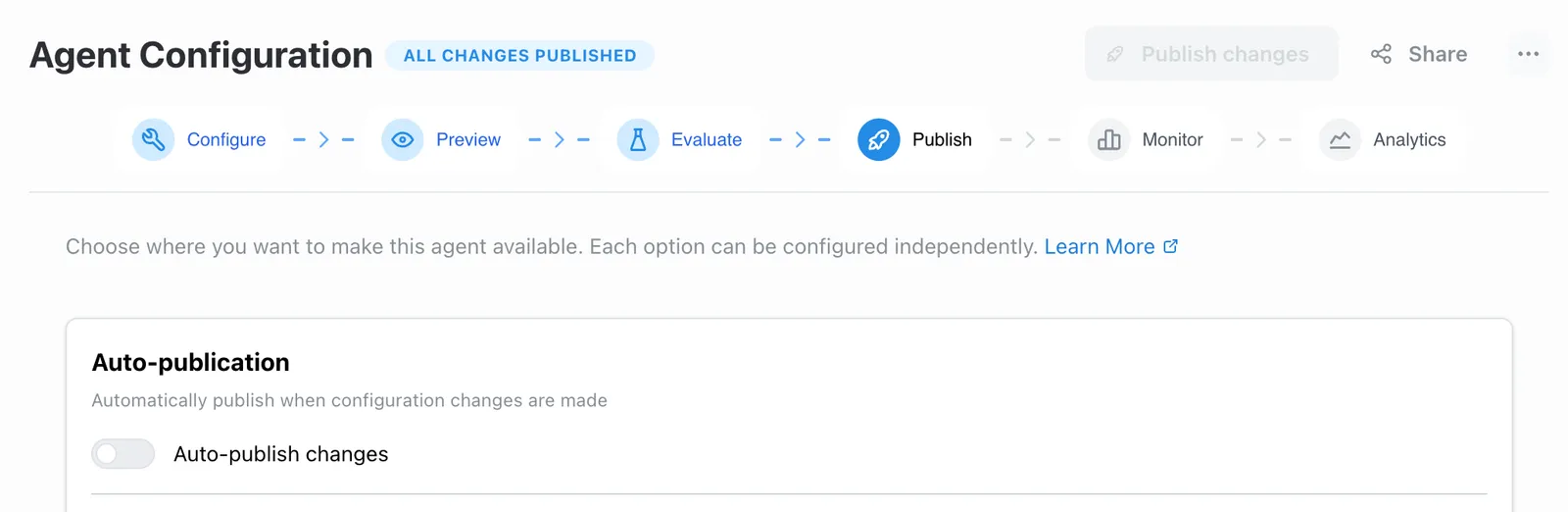
Version history
Every published version is stored in the Versions section of the Publish tab. Expand it to see a chronological list with timestamps and any evaluation scores attached to each version.
Two versions are always highlighted:
- Currently editing — your active working copy
- Published — the version currently serving users
Restoring a version
Click Restore Version on any historical entry to pull that version back as your edit version. It doesn’t immediately go live — you still need to publish it.
Forking a version into a new agent
Sometimes you want to branch off a specific version rather than restore it. Click Fork as new agent on any version row to spin it off as an independent agent with all the same configuration.
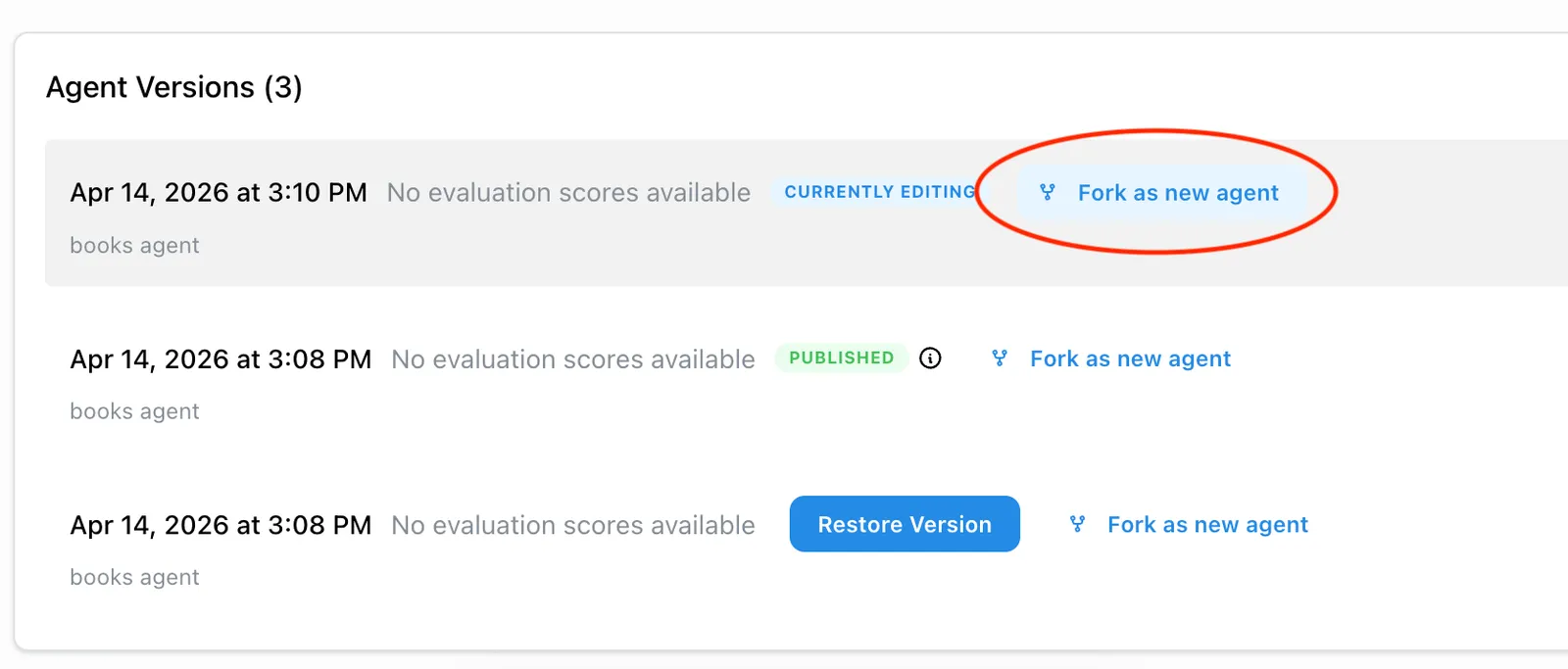
The fork lands you directly on the new agent’s page. You’re the sole owner, the name defaults to <original name> (Fork), and no deployment config is carried over — it starts as a clean draft. From there you can rename it, configure it independently, and publish it on its own schedule.
This is useful when you want to run two variants side-by-side, experiment on a copy without touching production, or hand off a specialized version to a different team.