

Custom Dedicated Slack Bots
Credal can support the creation of custom Slack apps, which allow your organization to create a Slack app (like a bot) with a custom name and profile picture that connects to one specific agent. For example, you could create a Slack app called “Magic 8 Ball” with a custom logo, and when users tag that app or DM with it, all queries are routed to your specific agent.
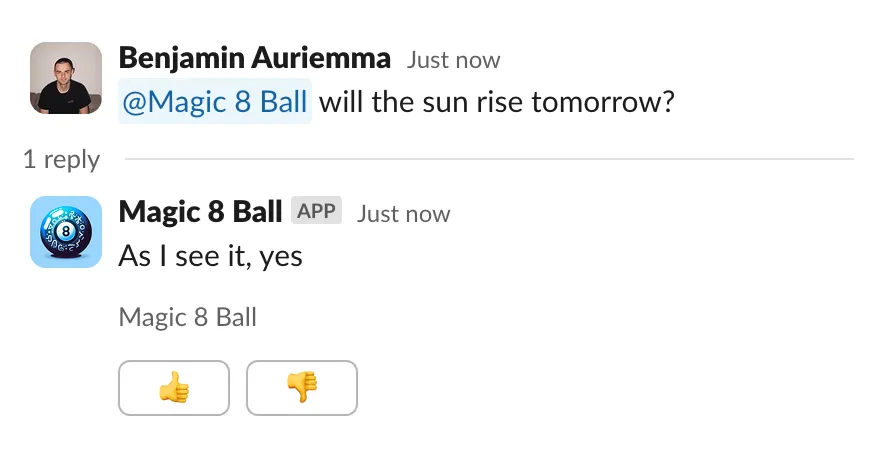
There are two steps to configuring a custom Slack app:
- Create the application in Slack using the template below
- Share some key information about the Slack app with the Credal team to complete the configuration. This step will eventually be automated, but is manual while the feature is in beta.
Step 1: Create the application
To start, navigate to https://api.slack.com/apps
In the top right, click “Create New App”, then select “From a manifest”. Select the Slack workspace you want to deploy this app to.
Make sure “JSON” is selected, then paste the following manifest template in. Make sure you change [$NAME], [$DESCRIPTION], and [$LONG_DESCRIPTION] to the branding for your application. You’ll later have the opportunity to set a picture as well.
After creating the app from the manifest:
- Go to the App Home settings (findable from https://api.slack.com/apps) and at the bottom, check “Allow users to send Slash commands and messages from the messages tab”
- To enable DMs for your agent go to:
App Home→Messages Taband enable:Allow users to send Slash commands and messages from the messages tab
Step 2: Configure in Credal
After creating your Slack app, you can now configure it directly in Credal. Simply open the Deploy as Custom Slack App pane and input the required information from your Slack app.
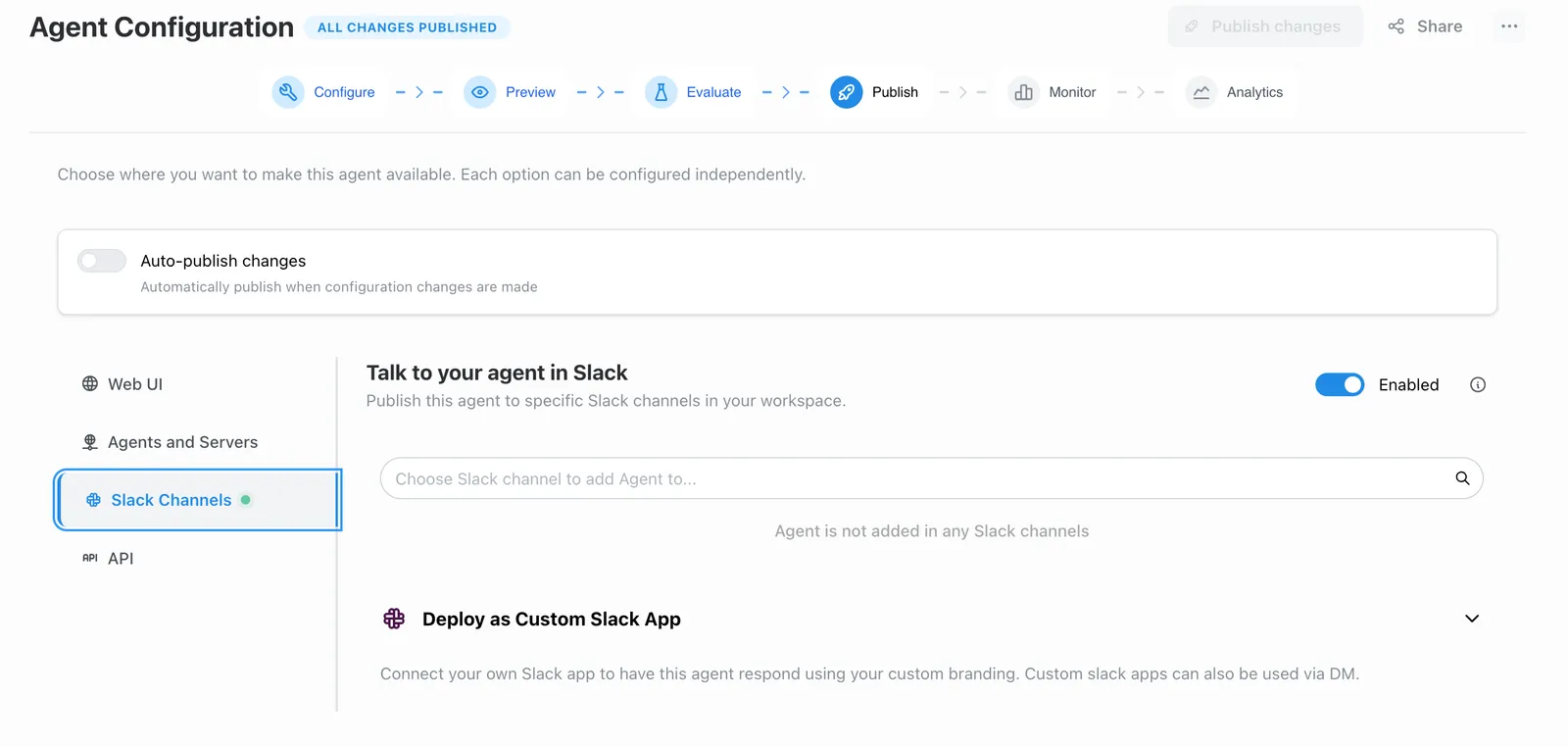
In the configuration pane, you’ll need to provide the following details from your Slack app:
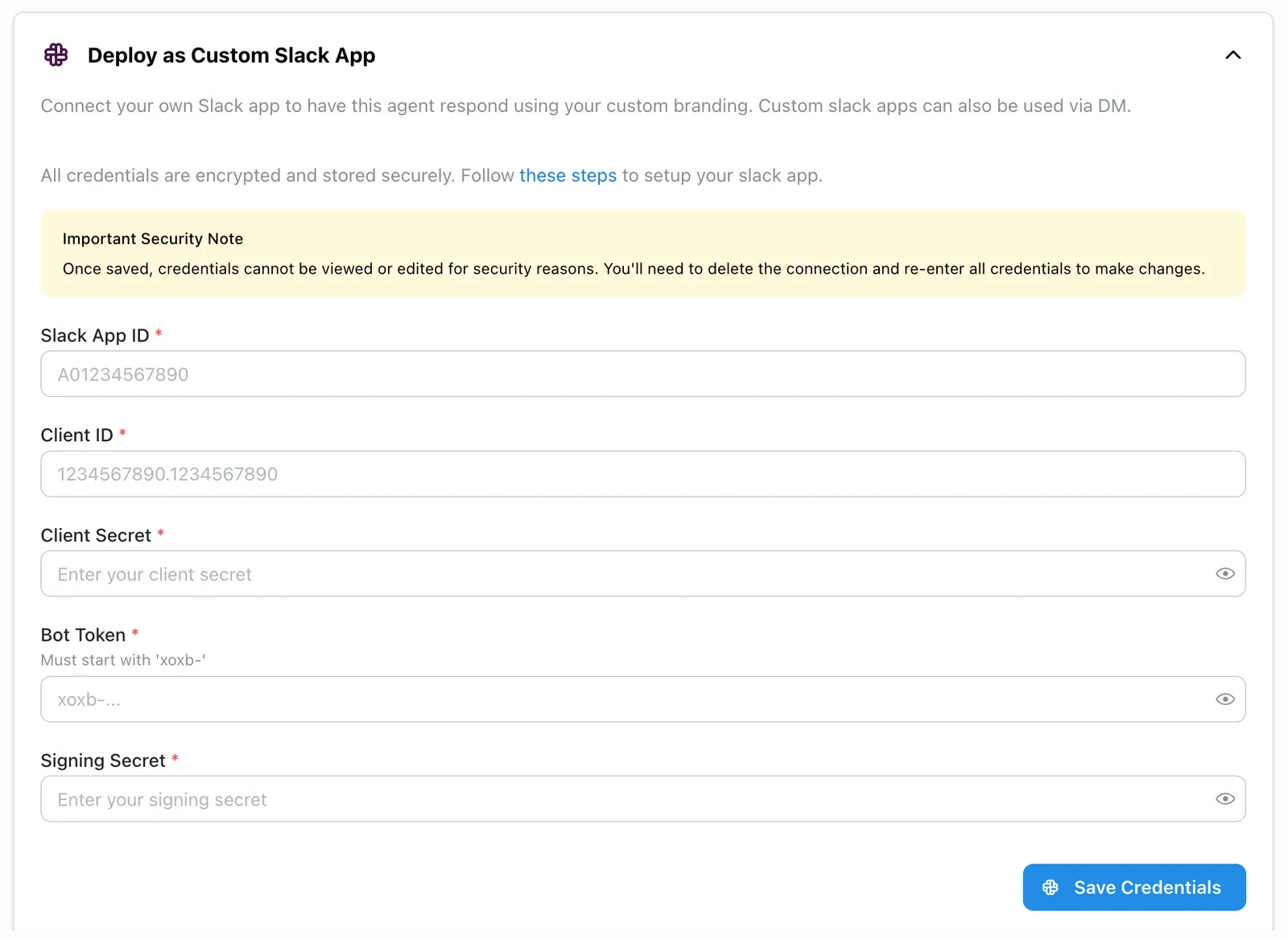
Once you’ve entered the information, your custom Slack app will be live!