

Query Approaches
Currently there are 2 ways to query snowflake, each with their own benefits and limitations. Based on your use-case you may choose one over the other - I’d advise trying both approaches out to see which one works better for you.
1. Query Templates
With this approach you can define a SQL Query and have the embedded parameters for the AI to fill out. Each agent will have multiple Query Templates that will be aimed at answering a specific question for the user. The way query templates work is by using embedded parameters.
- Pros: With this approach you can make extremely complex requests, with a high level of accuracy, and still be able to use AI to fill in portions of the query.
- Cons: The upfront cost of making query templates is higher as each template is aimed at answering a specific question
(e.g What is the revenue for this CUSTOMER between START_DATE and END_DATE)
Example runSnowflakeAction Action (Query template)
- Action Name:
"Get revenue for a customer in a given year" - Action Description:
"Action to query snowflake and get the revenue for a customer in a given year" - Action Example Params:
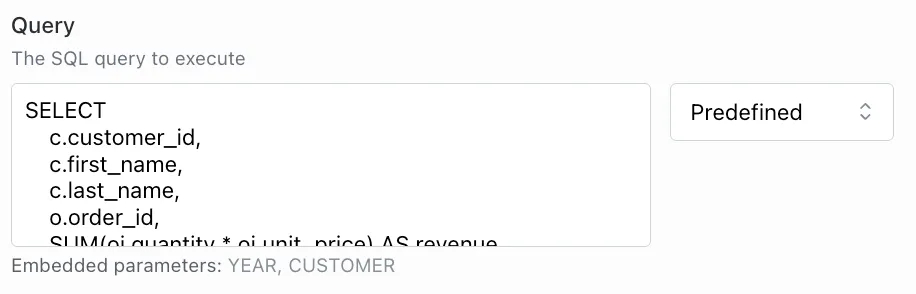
Note: An agent will use the action name and description to decide to run an action - make sure these are good descriptions of what the action does. Currently each query template requires its own runSnowflakeQuery action - meaning your agent will have multiple actions attached.
2. Snowflake Views (recommended)
Large language models are good at generating simple queries, but not so good at figuring out complex relationships. We can work around this issue but utilizing Snowflake Dynamic Tables which are simplified Views of the data we want to query on. This way we can make a flat table only including relevant fields we want to filter against.
This relies on the user uploading table metadata to the agents data sources to ensure the Agent knows about available Tables and how to generate queries against them.
- Pros: With this approach you have the ability to query ANY data available in the view.
- Cons: Snowflake Views should be setup with good column names to ensure valid queries are generated by the AI. This approach is less robust compared to query templates, but can be much more powerful.
Example runSnowflakeAction Action (Query template)
- Action Name:
"Get data from Snowflake" - Action Description:
"This is an action to run a snowflake query to get some data for the user and then process and analyze it." - Action Example Params:

Note: Since you’ll only have one runSnowflake action attached to your agent with the views approach - the name and description must be more generic.
a. Generating Table Schemas from Snowflake
Example CSV Output:
Note: You’ll need to add the TABLE_DESCRIPTION column yourself which will help the AI route requests to the correct View/Table. This is just an example of how to give the Snowflake Query Agent context on your tables/views in Snowflake, you can play around with this yourself.
b. Attaching The Schema to your Agent
- Go to your Agents page
- Go to the the Configuration tab
- Scroll down to Data Sources
- Attach your generated csv of table schema data (ensure file is named appropriately e.g Snowflake Table Schemas)
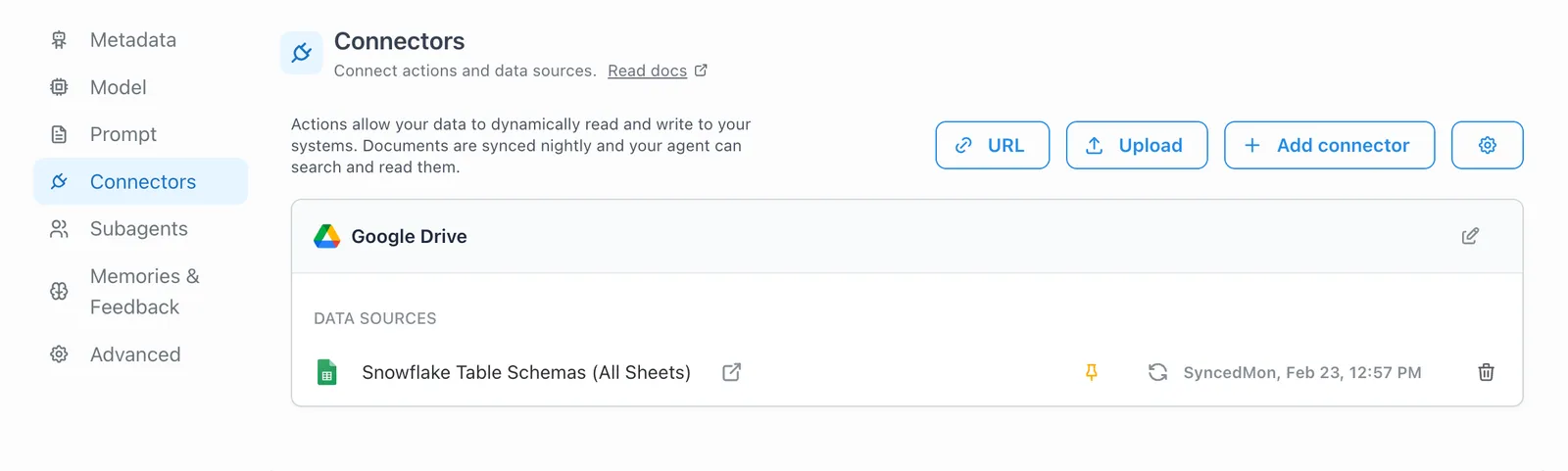
Tip: Remember Google Drive uploads will only be visible/usable in the Agent users who have access to it in Google Drive (Permissions are mirrored) - to avoid this you can upload a csv file instead of a Google Sheets link
Next Step
Continue to Testing your solution to validate your Snowflake connection, queries, and agent behavior end to end.