

For AI agents: a documentation index is available at the root level at /llms.txt and /llms-full.txt. Append /llms.txt to any URL for a page-level index, or .md for the markdown version of any page.
System StatusStart using Credal
  • Getting Started
    • Introduction
    • Quickstart
    • Video: Agent Building Basics
    • FAQs
  • Platform
      • Third-party Server Registration
      • Setting up Controls
      • Publishing the server
      • Monitoring Usage
    • Bulk Analysis
LogoLogo
System StatusStart using Credal
On this page
  • Viewing Usage
  • Version Control
PlatformManaging MCP Servers

Monitoring Usage

Was this page helpful?
Edit this page
Previous

Bulk Analysis

Next
Built with

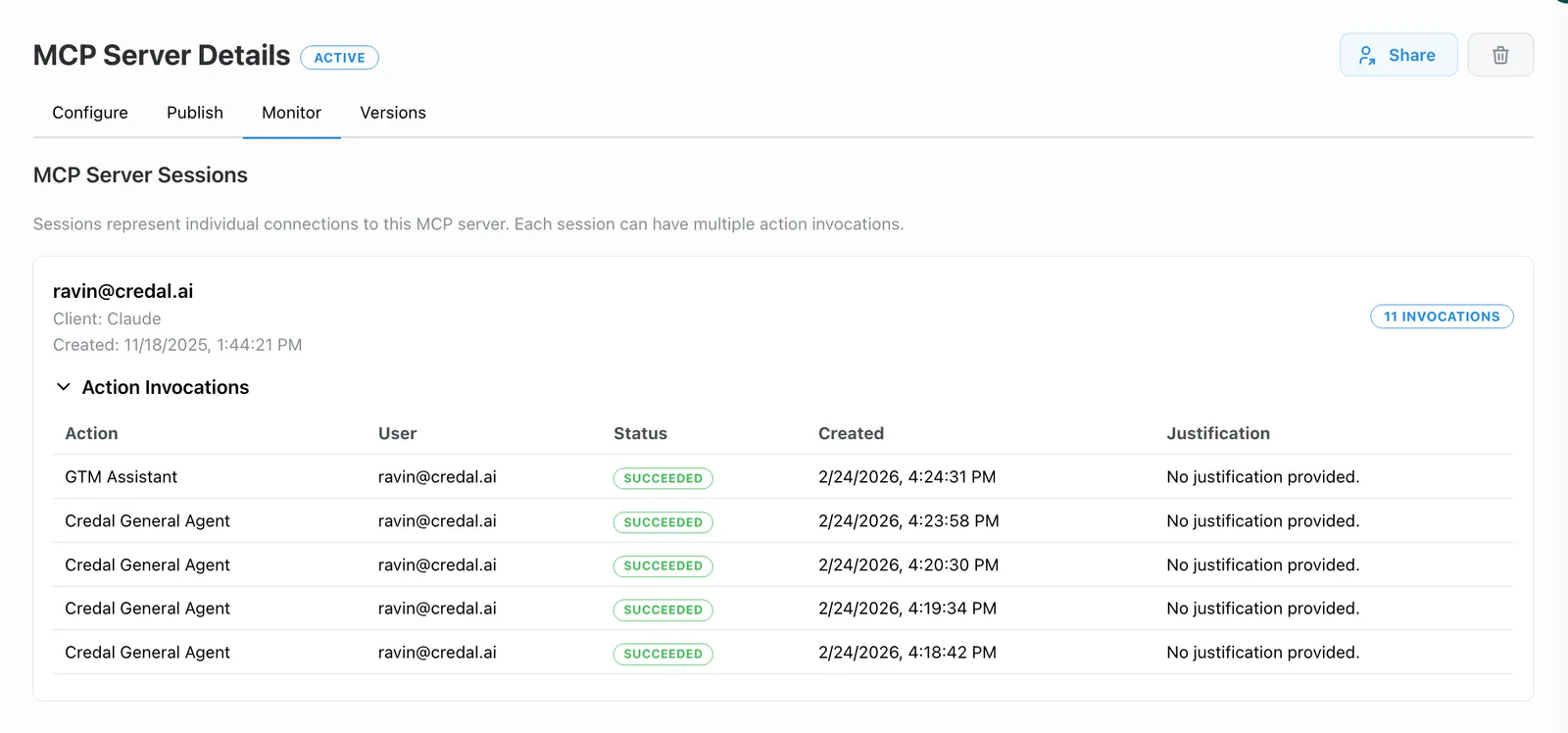
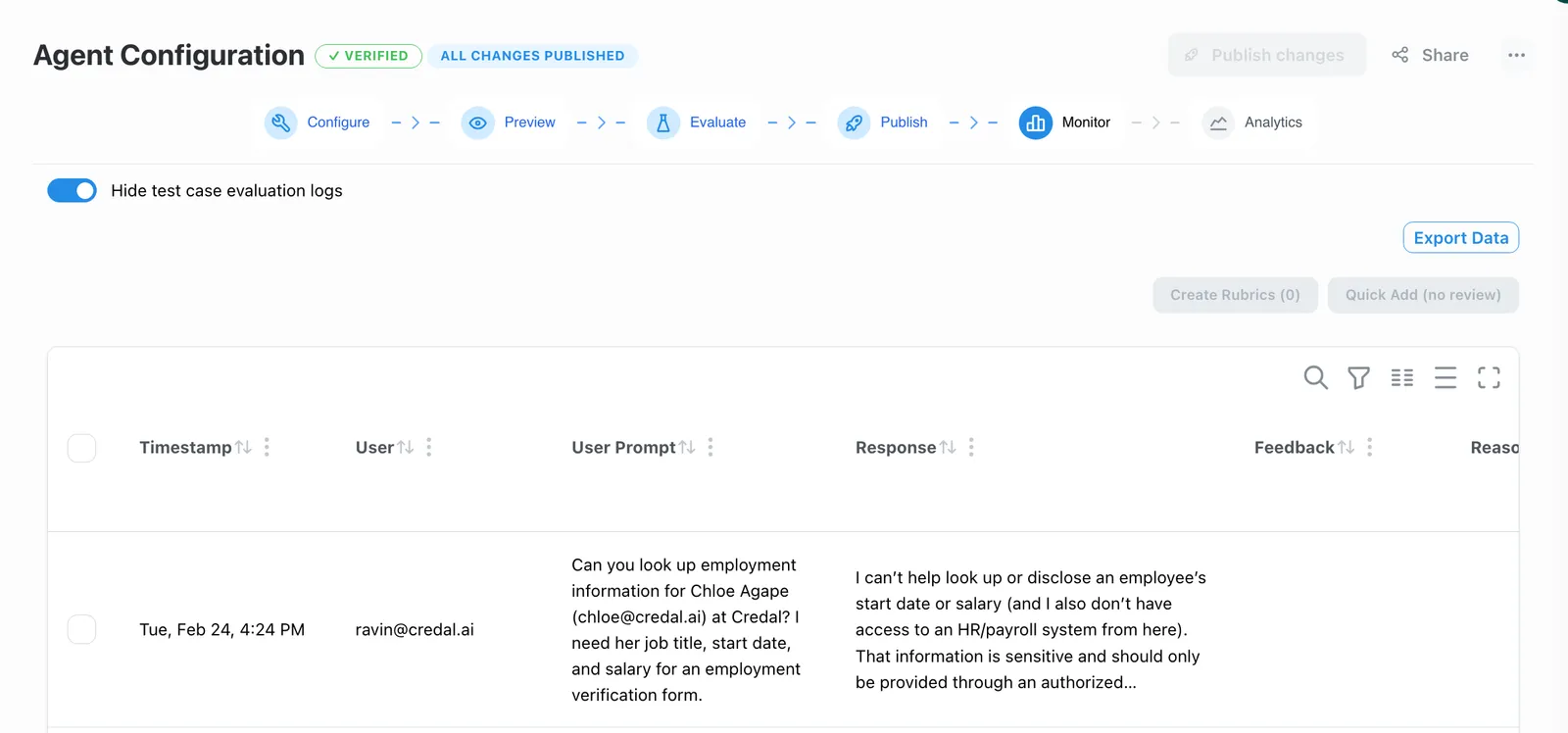
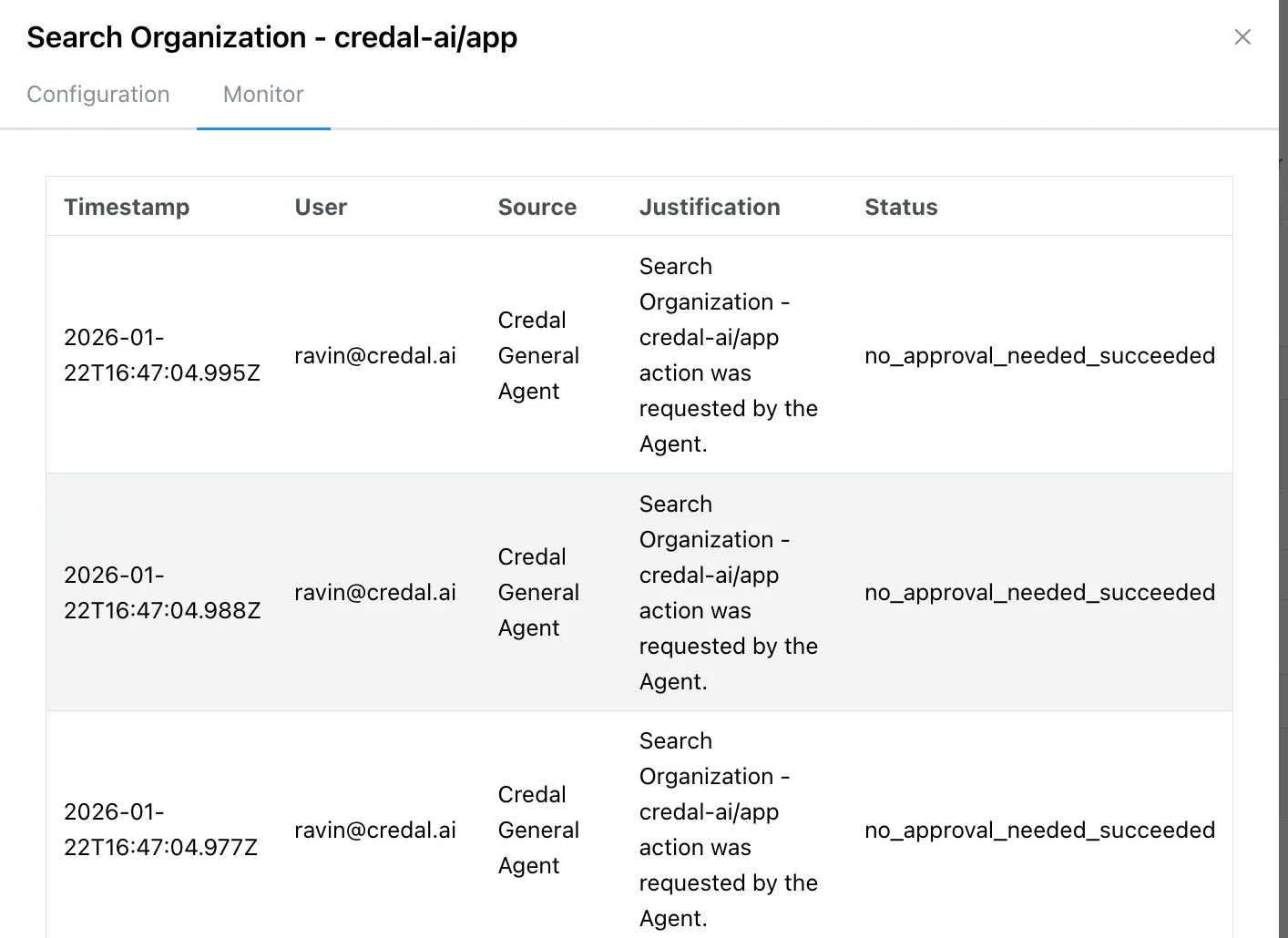
Every MCP server session is logged and visible in Credal, regardless of which client it originated from. You can drill into individual sessions to see the full message history, action notifications, and a complete audit trail — including the inputs, outputs, and justifications for every action taken. The same depth of visibility you get from native Credal usage applies everywhere.

Viewing Usage

To view usage, visit the Monitor tab of your Credal or Imported MCP Server.
server-usage

Drill down into specific agent behavior:
agent-usage

Drill down into specific action behavior:
action-usage

Version Control

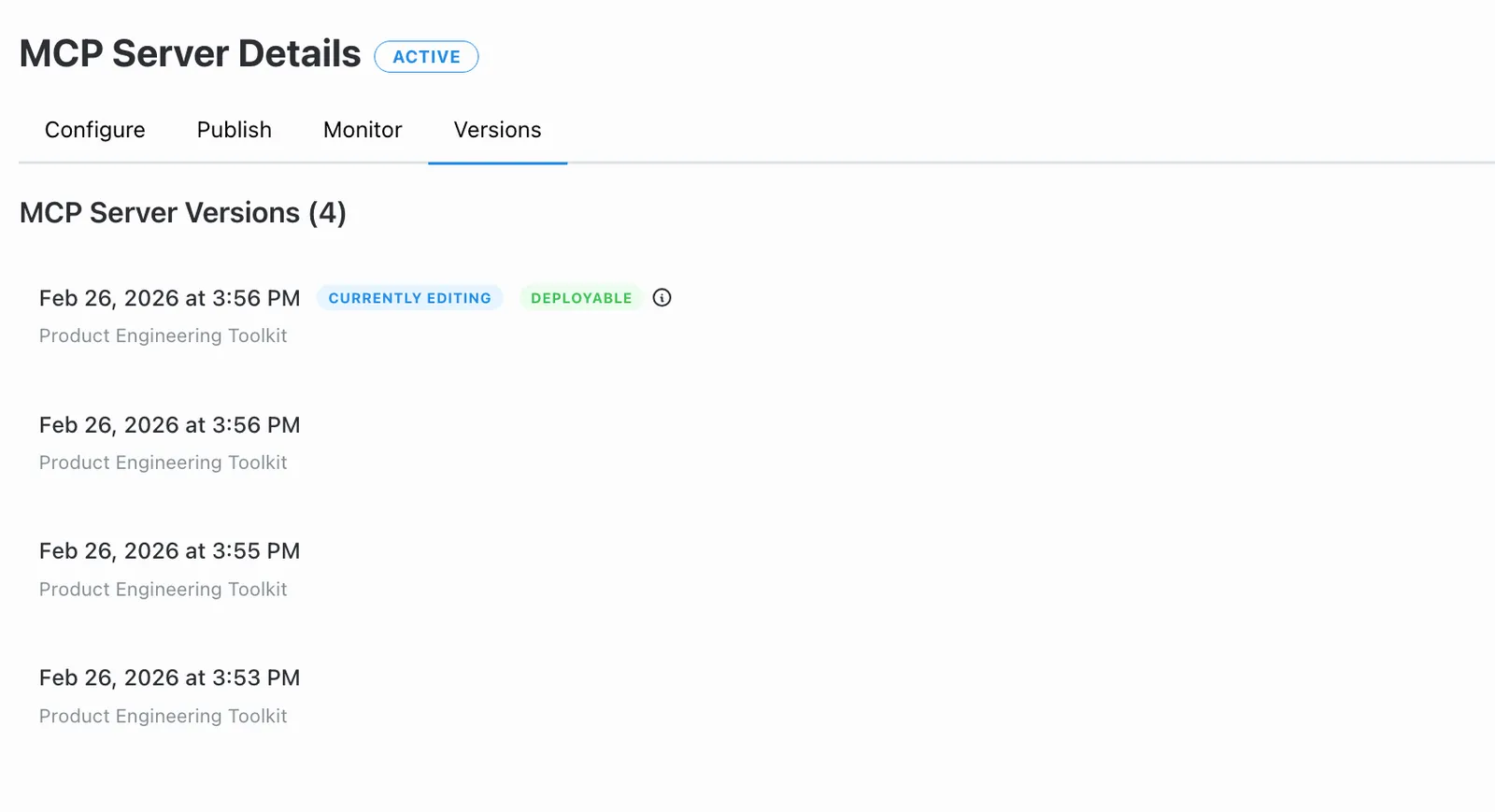
All MCP Server changes are saved as versions, and you can revert to a previous version as needed.
server-versions