

Advanced Usage (Beta)
Each MCP server you publish has an advanced endpoint available alongside its standard URLs. The advanced endpoint connects to the same server but turns on additional capabilities. You’ll find its URL in the Publish tab under Generic MCP Clients — copy it into your MCP client the same way you would any other MCP URL.
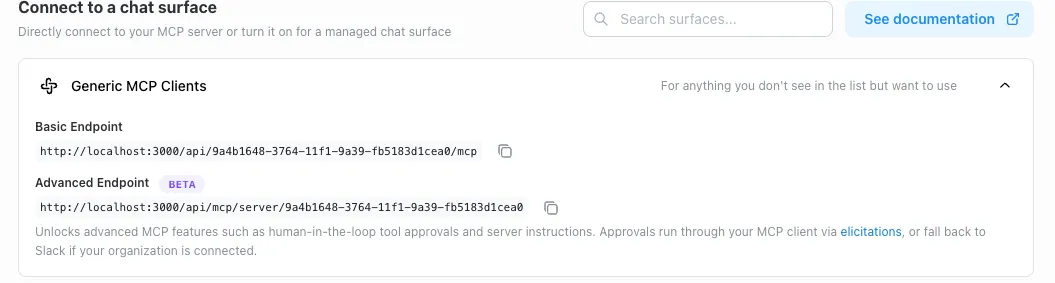
When to use it
Use the advanced endpoint when you want either of the following.
Human approval for tool calls
Actions can be configured to require user approval before they run. These actions only work through the advanced endpoint — on the standard endpoint, they’re unavailable.
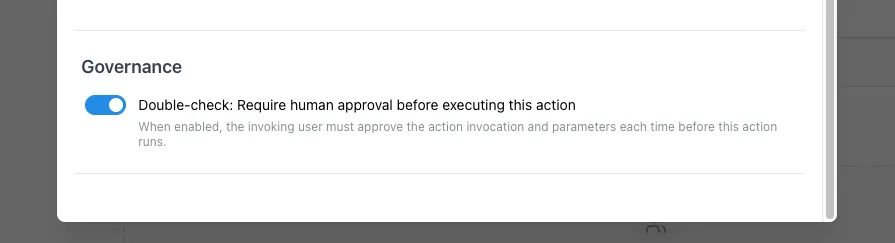
When the user invokes one of these actions, they’ll be asked to approve it before it executes:
-
If the MCP client supports in-product approval prompts (the MCP “elicitations” feature), the prompt appears directly in the client.
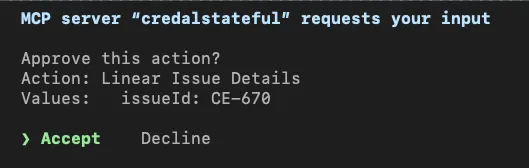
-
Otherwise, the user is asked to approve the action in Slack.
Required server instructions
The server can require the client to fetch a set of starting instructions at the beginning of every session before any other tools become available. This is useful when there’s context, guidance, or guardrails the agent must read before acting.
What’s next
More capabilities will be added to the advanced endpoint over time.