

Human Approval Options
Overview
Human approval gives you a safety layer on top of any action. When enabled, the agent pauses before executing an action and presents the proposed inputs to a human for review — ensuring nothing runs without an explicit sign-off.
There are three ways to enable human approval, and they can be used together:
- On a specific action in an agent — enable it yourself when attaching an action to an agent
- On a specific MCP server tool — admins can require approval on individual tools from imported third-party servers
- Organization-wide for an action template — admins can require approval for all actions of a given type, ensuring consistent governance across your org
Enabling human approval on an action
When you attach an action to an agent, scroll to the Governance section at the bottom of the action’s settings. Toggle on “Double-check: Require human approval before executing this action” to enable it.

Once enabled, a small orange gavel icon will appear on the action in the agent’s connector list, indicating governance is active.

Organization-level enforcement
Admins can enforce human approval for all actions created from a given template, across the entire organization. This is configured in the System Connectors admin panel — each template has an independent Require Human Approval toggle.
When enabled at the template level, every action of that type will require approval before executing, regardless of how individual agents have configured it. This is the recommended approach for sensitive categories of action, such as:
- Actions that write to production systems or databases
- Actions that communicate externally (emails, Slack messages, tickets)
- Actions that involve financial or compliance-sensitive operations
See Action Templates for more on managing templates.
Human approval for MCP server tools
For imported third-party MCP servers, admins can enforce human approval at the individual tool level. Navigate to the server’s settings and use the Enforce Human Approval control next to any tool you want to gate.
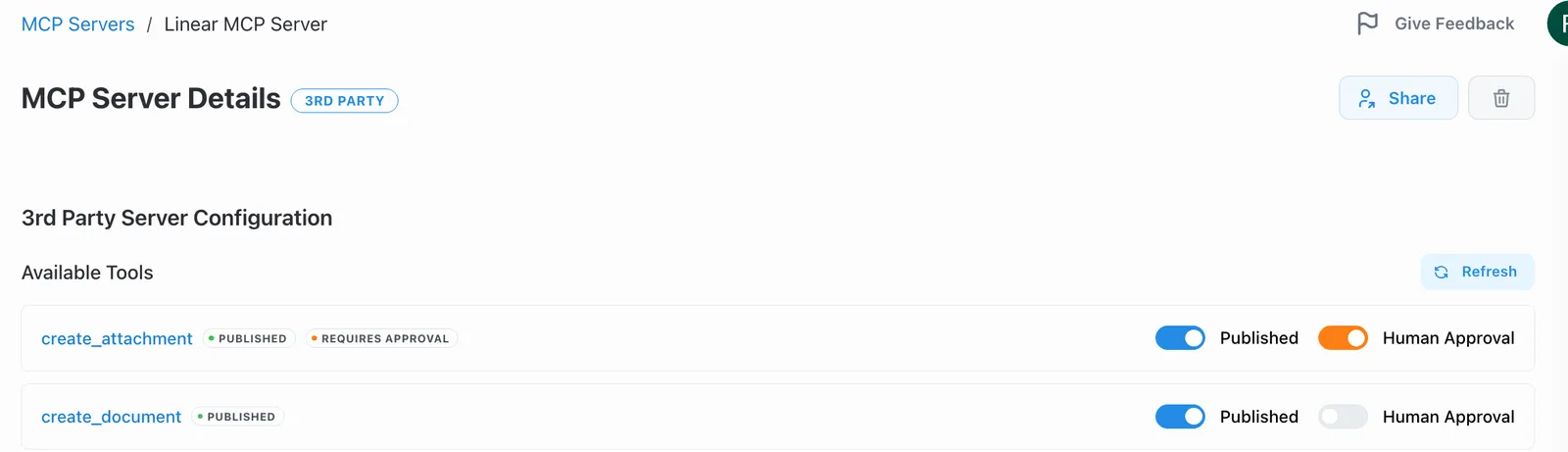
This ensures that even tools from third-party servers cannot run without a human review step. See Setting up Controls for full details.
The approval experience
When an agent triggers an action that requires approval, it pauses and waits. You’ll see a pending approvals notification in the chat interface — click the gavel icon to open the approvals panel.
The approvals panel shows:
- Who requested the action and when
- The justification the agent provided
- The exact inputs the agent plans to send — so you can verify them before anything runs
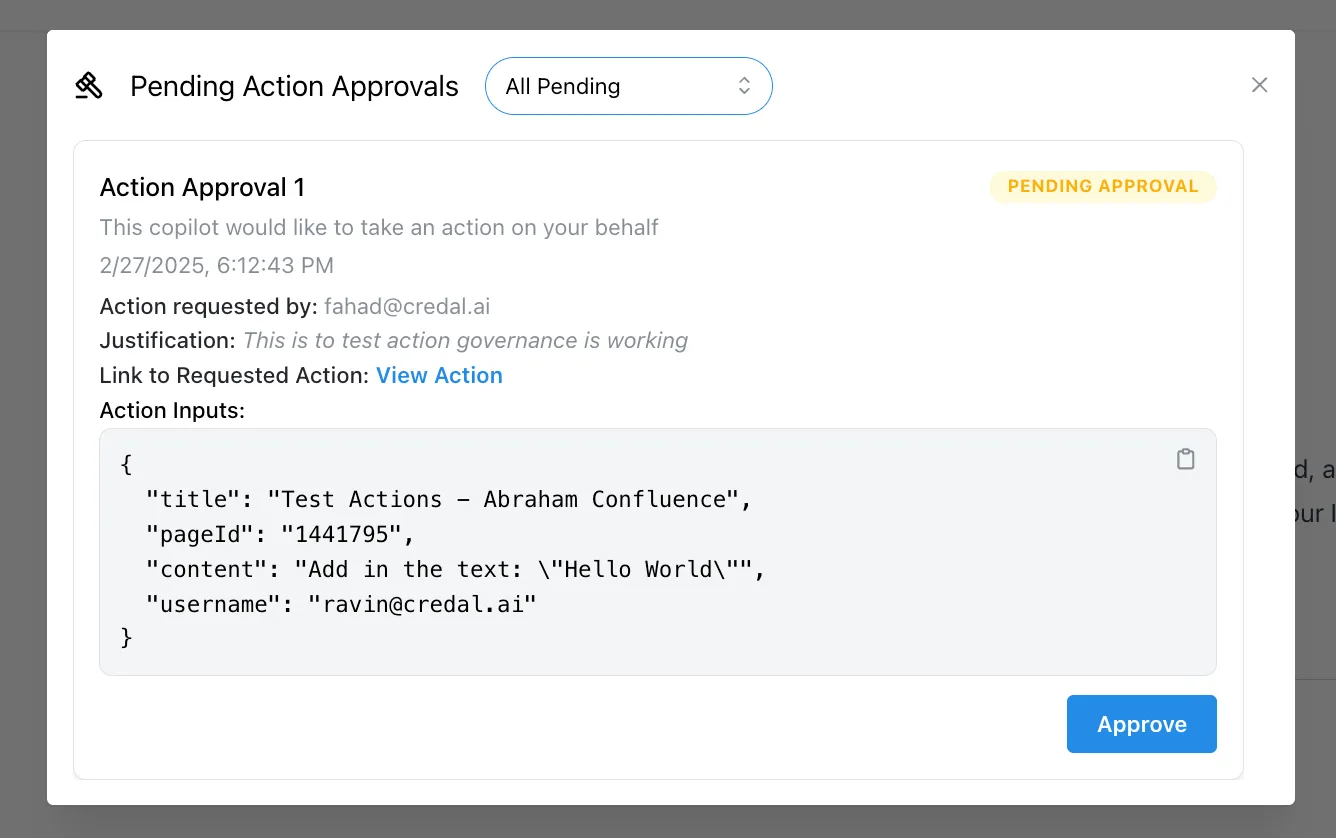
Review the inputs, and click Approve to proceed. If the inputs don’t look right, you can reject the action and ask the agent to try again with different instructions.
Coming Soon
The following capabilities are in development. Contact support@credal.ai for early access:
- Multi-user approval workflows: Allow a user without execution permissions to trigger an action, then have a designated approver review and execute it on their behalf — useful for cross-functional workflows where the person requesting an operation isn’t the one with credentials to perform it
- Conditional HITL rules: Trigger approval only when specific parameter conditions are met (e.g., require approval for expenses above a threshold)