

Use your Agents where you work
Credal is not going to lock you into a single chat client or provider. We want AI agents to power your work, where you work. Whether you want to automatically trigger an agent when a sales call finishes, schedule an agent to run every 3 hours, or have it interface conversationally with users in their platform of choice, we’ve got you covered.
This section will cover our current list of publishing options. This list is growing, and we would love to hear your input on something you want to do but don’t see here today!
Current list of options:
- Talk to your agent in Slack
- Call your agent via API
- Become discoverable to other Agents and MCP Servers
- Chat with your Agent in the Web UI
- Microsoft Teams
Coming soon:
- Publish Credal agents as A2A agents
- Chrome Extension
- Popular chat clients (Gemini, ChatGPT, etc.)
Once you have an agent set up, you can use it directly in Credal, or publish it to Slack or other tools through the API. You can do this in the “Publish” tab.
Publishing an Agent
Once your agent is configured, you can move it to the Publish stage to make it available for use across your organization or in connected platforms (e.g., Slack, API, or other integrated tools).
1. Publishing Options
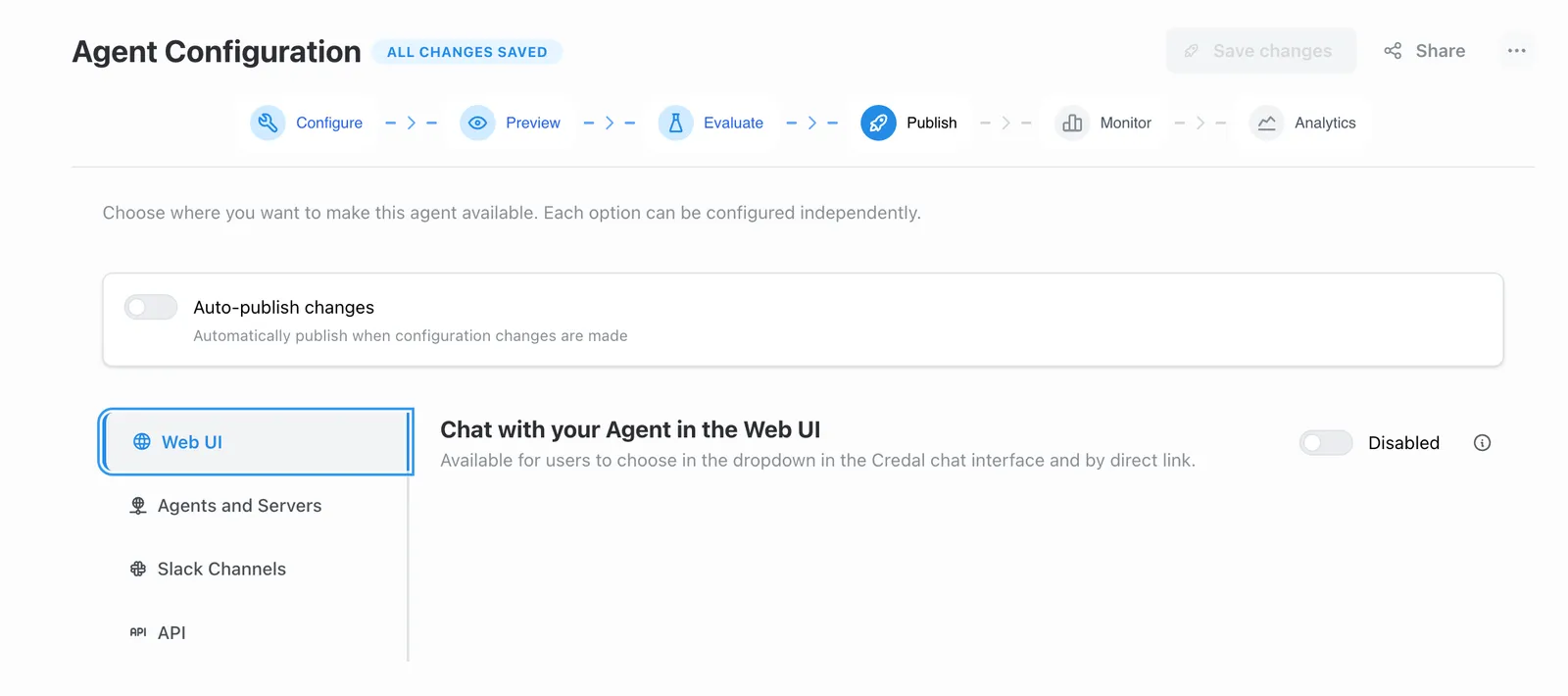
In the Publish tab, you can choose where your agent will be available. Toggle the relevant options based on your needs:
-
Chat with your Agent in the Web UI
Makes the agent available in the Credal chat interface dropdown and via direct link. -
Become discoverable to other Agents and MCP Servers Allows your agent to be accessible for collaboration with other agents. Note: User-level access policies do not apply here.
-
Talk to your Agent in Slack Enables publishing directly into specified Slack channels.
-
Call your Agent via API Makes the agent accessible over API using the configured token(s).
2. Publish and Manage Agents
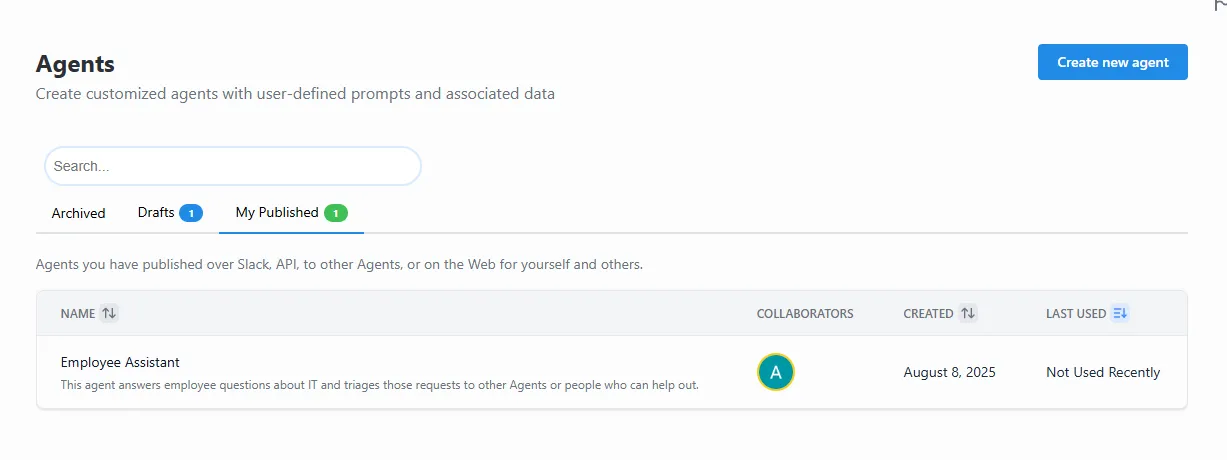
After publishing, your agent will appear under My Published in the Agents list.
- From here, you can confirm the agent’s availability, see collaborators, creation date, and recent usage.
- Published agents can be unpublished or updated anytime from the Publish tab.
- Every publish creates a version snapshot you can restore or fork. Learn more about versions →
Coming Soon
We’re actively developing advanced agent deployment and security capabilities. If you’d like early access to any of these features, please contact us at support@credal.ai:
- Change control and review workflows: Multi-reviewer approval process for agent changes before they go live, with branching and change request flows
- Sensitive agents: Mark agents as sensitive to apply additional security controls and restrict access to authorized users only
- Automatic hallucination detection: Real-time monitoring and flagging of potential hallucinations in agent responses
- Automatic risk detection: Intelligent identification of high-risk operations or outputs that may require additional review
- Agent-to-agent action delegation controls: Fine-grained permissions for how agents can delegate tasks and actions to other agents
- Client-level access controls: Control which applications, surfaces, or clients can access specific agents
- Prompt injection prevention: Advanced safeguards to detect and block adversarial prompt injection attempts
- Templates per agent/use case: Pre-configured agent templates optimized for specific business functions (HR, Finance, Product, etc.) with recommended settings and guardrails