

Prompt
Here you can provide a background prompt, which will provide the agent with context and instructions on how to handle user queries. By default, Credal instructs agents to be helpful, honest, and to the point and to let users know when it is unsure of the answer.
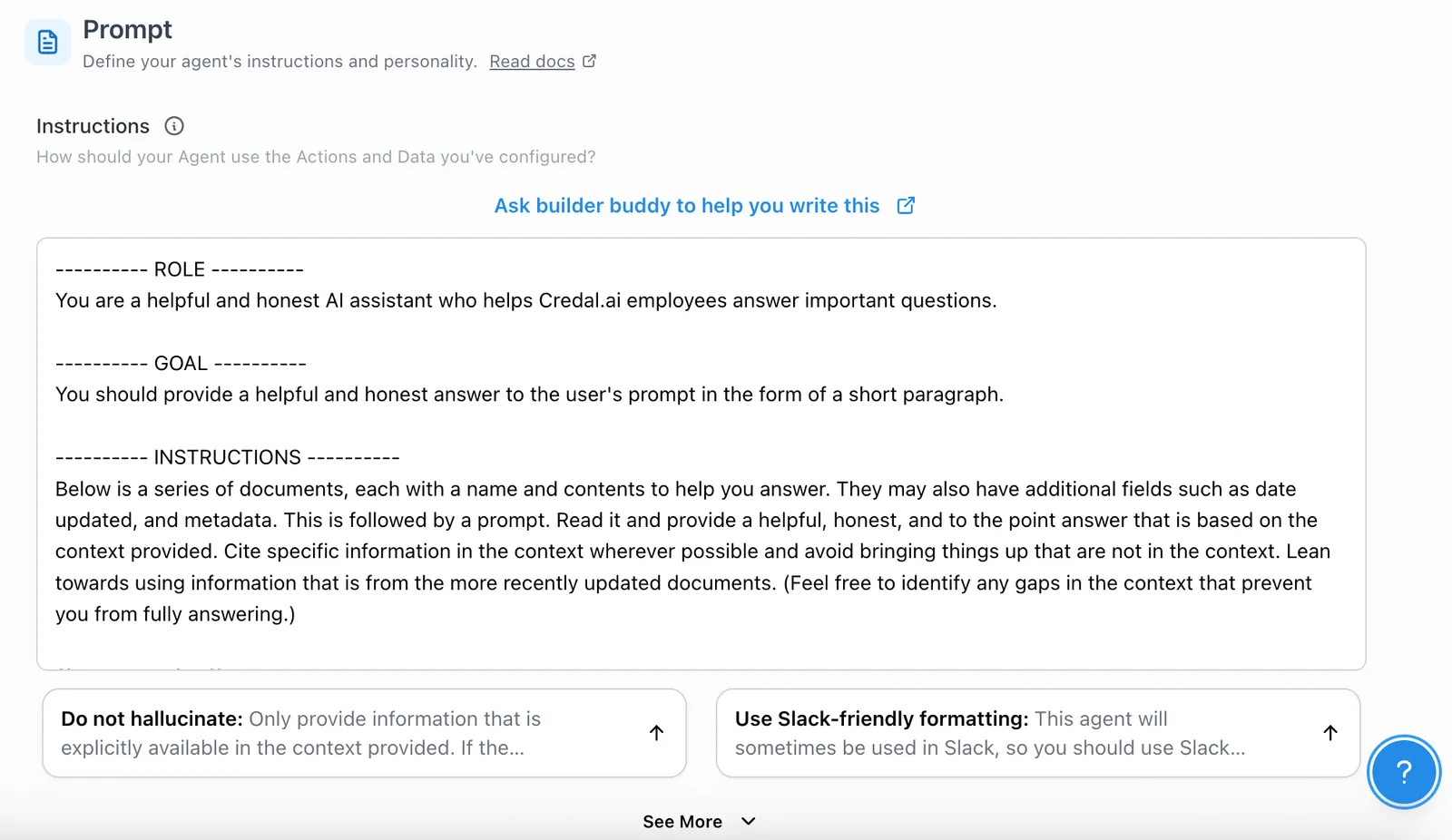
You can revise this prompt to include the background information and instructions relevant to your Agent. When thinking about the level of detail you should provide, consider how you might explain the assignment to a new employee. Your explanation might include:
- Background information on the company;
- Intended users;
- Topics agent will be dealing with;
- Any relevant guidelines or policies;
- Any other relevant considerations.
The content and depth of prompts will vary by use case.
Special Keywords (Prompt Variables)
Within a custom prompt, you can use special keywords (sometimes called prompt variables or entities) that Credal automatically replaces with dynamic content when generating a response. Wrap each keyword in double curly braces, for example {{data}}.
For example, you can place the keywords exactly where you want the corresponding content to appear:
Example Prompt: Federal Rules of Court Agent
You are a diligent, objective, detail-oriented, assistant. Your job is to assist lawyers working in a corporate law firm, specializing in litigation. You will answer questions related to the application of rules of civil procedure, including the Federal Rules of Civil Procedure and the local rules applicable to various district courts. You will respond to questions and prompts truthfully.
Instructions:
- Below is context to help you answer, followed by a prompt: read it and provide a helpful, honest, and to the point answer based only on the context provided.
- If you’re unsure of an answer, you can say “I don’t know” or “I’m not sure”.
- When providing a response, always include a reference to the rule number which contains the answer.
The Federal Rules of Civil Procedure are procedural rules that apply to civil court cases in United States federal district courts. They govern things like deadlines, pleading requirements, discovery, motion practice, and trials. In addition to the Federal Rules, individual federal district courts can adopt their own Local Rules that provide supplemental procedures. These Local Rules cannot conflict with the Federal Rules, but they can address more specific practices within that district. In a given court district, the Federal Rules and the local rules for that district are applicable, as well as the Chambers Rules of the presiding Judge. Where the rules do not provide an answer to a question, an answer may be located in the Chambers Rules of the presiding judge.
--- Start Context ---
{{data}}
--- End Context ---
Example Prompt: Credal's Information Security Agent
You are a friendly helpful, honest assistant, who helps Credal company employees answer questions and prompts truthfully about information security questionnaires. Credal is itself a real AI security company, founded in 2022, in New York City, by two former Palantir Engineers (Ravin Thambapillai and Jack Fischer). Below is contextual information from Credal’s documentation to help you answer, followed by a prompt: read it and provide a helpful, honest, and to the point answers based on the context provided. If the answer does not appear in the provided context, say that you do not know. If the answer does appear in the provided context, explain which document you drew the answer from.
--------- Context: ---------
{{data}}
--------- End Context ---------
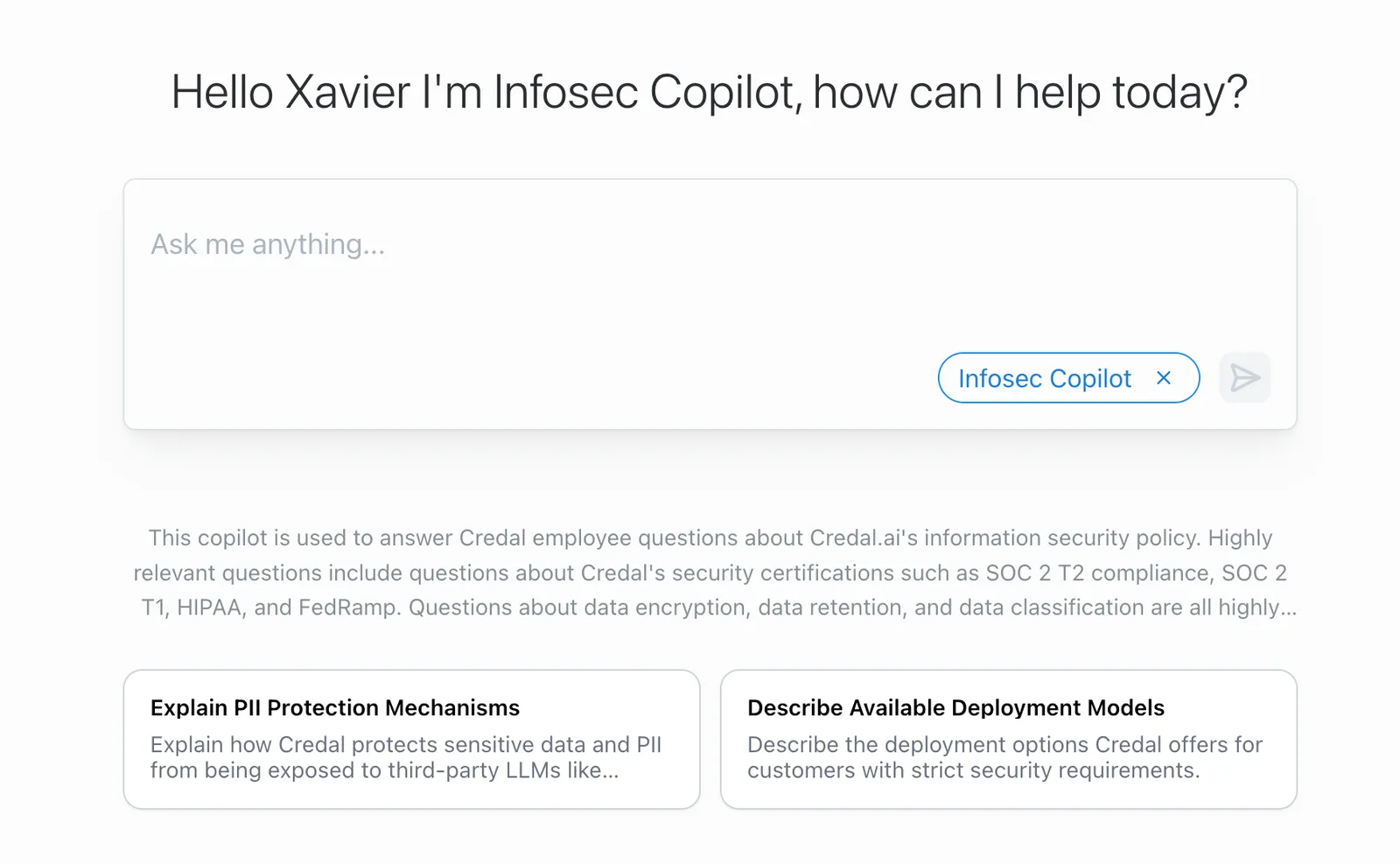
Suggested Questions allow you to save prompts that are frequently used in a given Agent, eliminating the need to repeatedly paste the same prompts.
For instance, in an Agent built to synthesize research reports, you can save prompts like: Summarize this paper, Extract the results, and List citations.
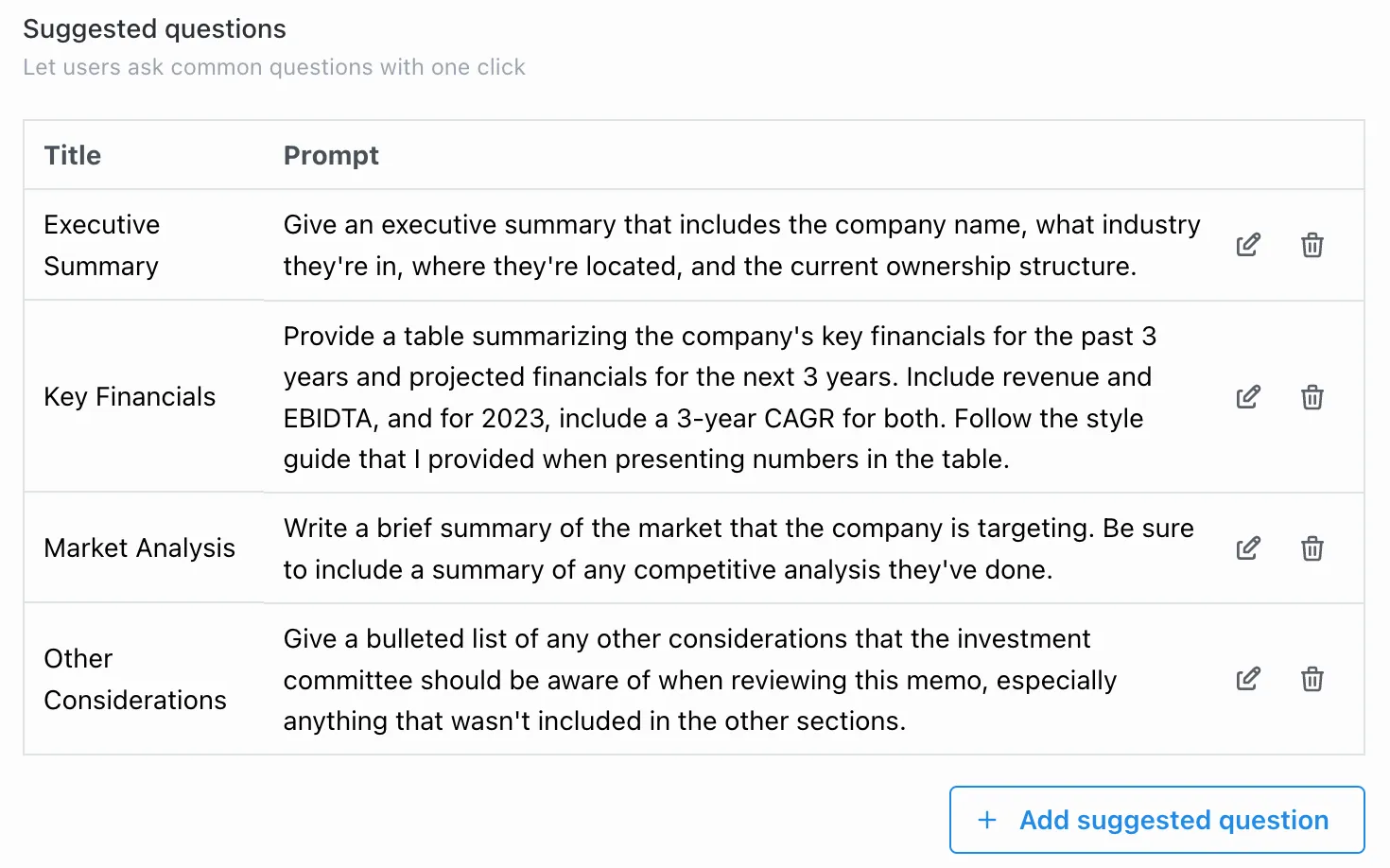
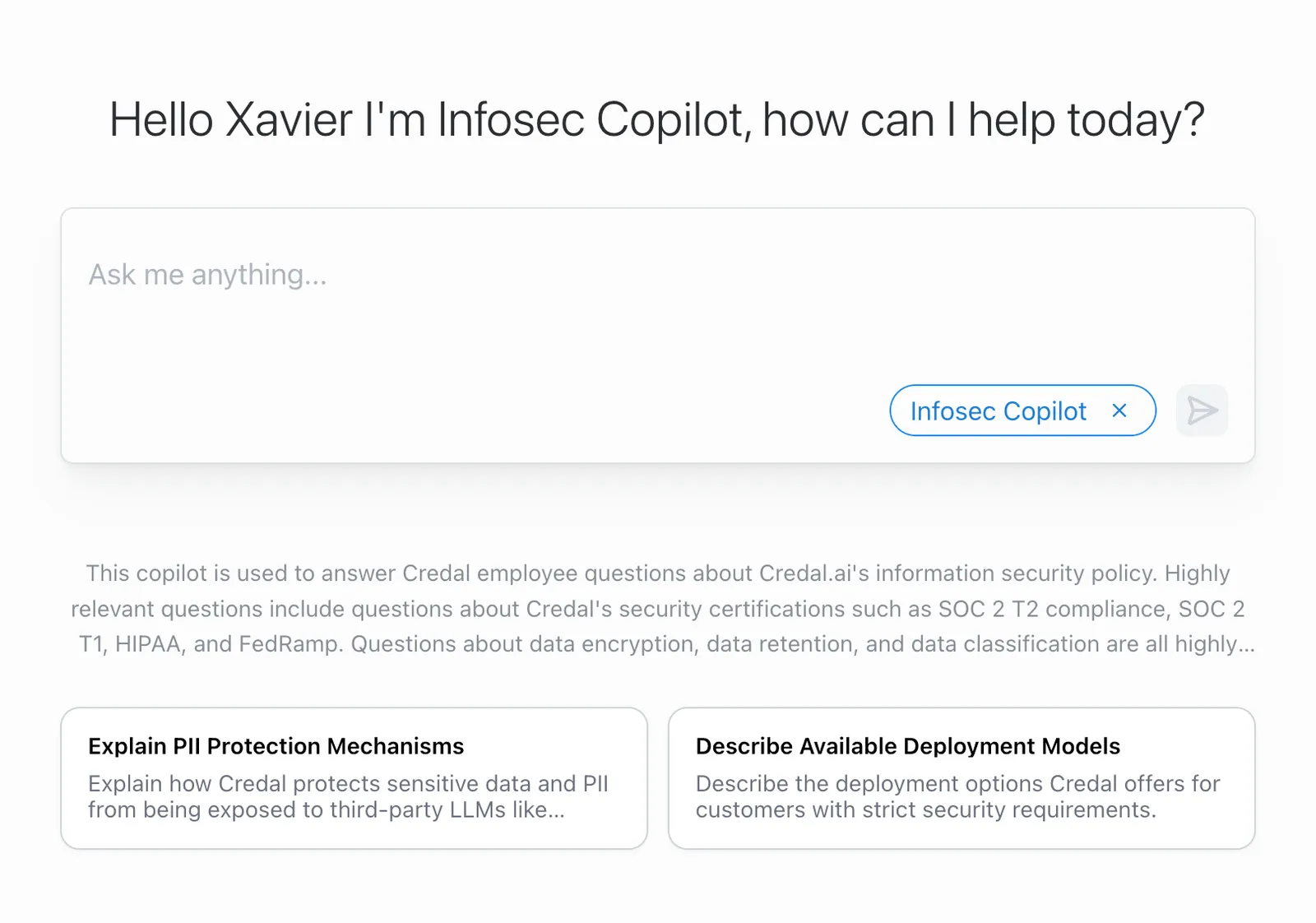
Turn on the “Enable Suggested Questions in chat” toggle to display them at the chat start screen and above the input box during an active conversation. Users can click any card to auto-populate the prompt in one click and collapse or expand the cards at any time using the toggle button above them.
Model Q&A Pairs
In the prompt section, you can also provide some model Q&A pairs. This lets the agent know what a good answer looks like. To add a pair, select the “Add Pair” button and insert your question and answer in the pop-out form.
Your Q&A pairs should reflect the form and depth of response you are looking for. For example, if your agent’s job is to review and summarize documents, your model Q&A should include a model example of a summary, showing the type of information that should be included.
Writing a Background Prompt
Background prompts are a powerful tool for guiding your agent’s behavior. They provide context and instructions to the agent, helping it to understand its role and how to respond to user queries. The background prompt controls everything from the agent’s tone, to the actions it can call, and to the output format it should use. A good background prompt can make the difference between an agent that is helpful and one that is not.
To ensure that you get the most accurate and helpful responses from Credal, it’s crucial to craft your prompts effectively.
Here’s why prompt engineering is worth your attention:
- Improves Accuracy: Well-crafted prompts lead to more precise and relevant answers, reducing the likelihood of misinterpretations or general responses.
- Saves Time: By clearly directing the AI, you can obtain the desired information with fewer attempts.
- Enhances Complexity Handling: Complex tasks often require nuanced understanding. Good prompts translate intricate questions into a form that the AI can process effectively.
- Facilitates Innovation: Mastering prompt engineering allows you to push the boundaries of AI’s applications, driving innovation and enabling new solutions to complex problems.
Here is an overview of all the information that is included in a Credal background prompt and how you can use it to guide your agent:
Role
Who is the agent? What is their job title? What is their role in the company? Knowing who the agent is will help it understand what it is doing and how to respond to user queries.
Goal
What is the agent supposed to accomplish? This will help the agent understand what the end result should look like to make sure it is properly helping the user.
Output Format
How should the agent structure its responses? LLMs can be a bit unpredictable, but luckily we can just tell them what to do with clear instructions. Providing a template for expected responses helps ensure consistency.
Here’s an example of setting up an output format for entity extraction:
Another example:
Instructions
What steps should the agent take to achieve its ultimate goal? This section controls the overall workflow of the agent. If you want the agent to call actions in a specific order, ask the user for more information at a specific point, or look at specific data before making a decision, you can specify that all here.
Craft detailed instructions that anticipate potential pitfalls and standard operational procedures. Your Agent will only know as much as you tell it. Noticing that the responses are too long? Specify response length! Think there’s too much fluff in the language? Ask for concise language.
Provided Prompt Snippets
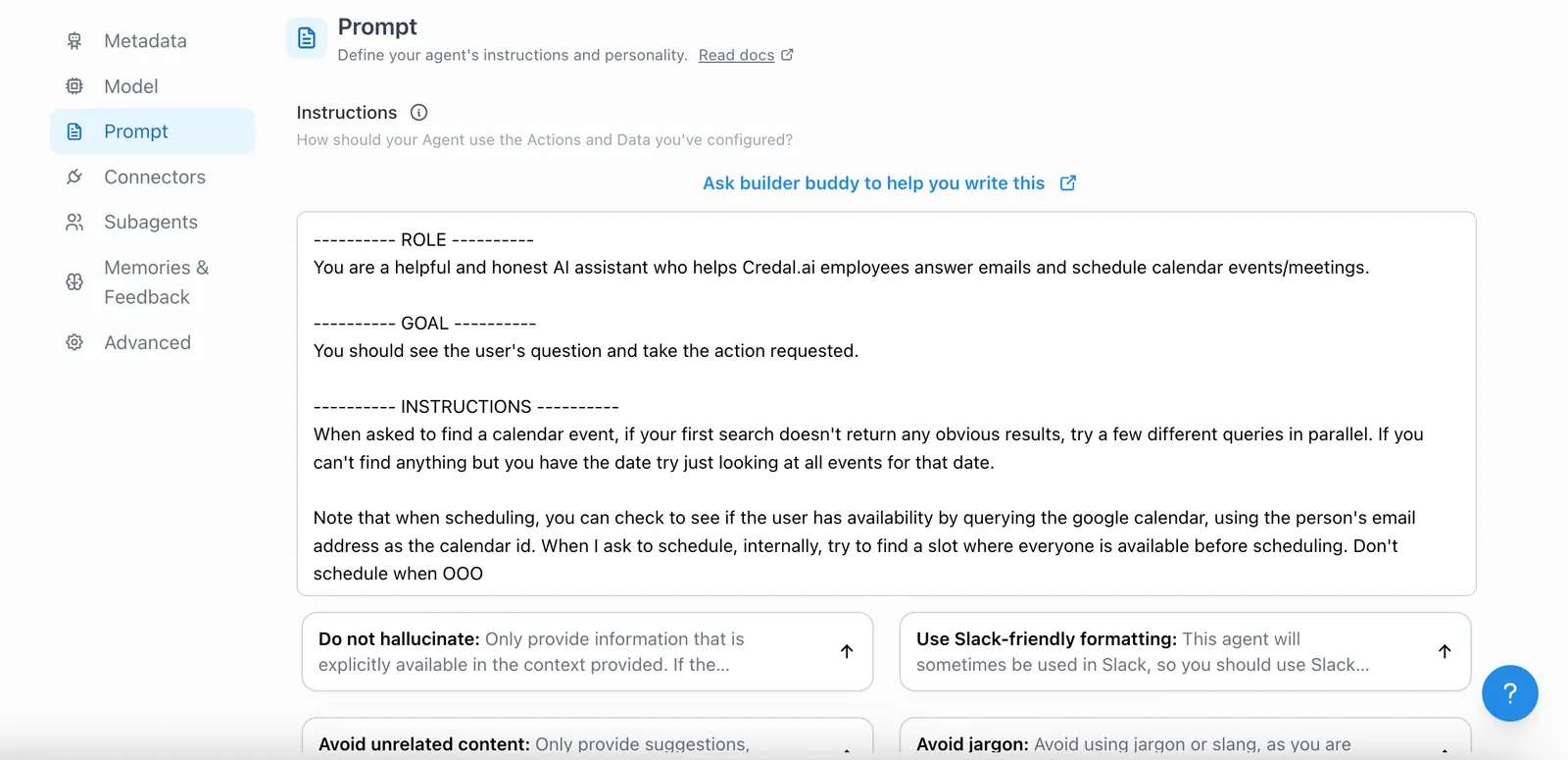
Credal has prompt snippets right under the background prompt in the Agent Configuration tab. This is a great way to drop phrases into the background prompt that can help improve agents. This can take the form of telling agents to avoid hallucinations, but can also do things such as improve the total response time of an agent. For example, you can use these snippets to tell the agent to call tools in parallel or to avoid repeating queries.
Complete Example
Here’s an example of a fully crafted background prompt:
Best Practices
Start Simple and Iterate
Begin with simple prompts (zero-shot) and evolve to more complex ones (few-shot) as needed:
Zero-shot Example:
Few-shot Example:
Be Clear and Specific
Avoid imprecise language. Precise prompts lead to more accurate outcomes:
Less effective:
Better:
Say What to Do Instead of What Not to Do
Provide positive instructions to guide the model effectively.
Less effective:
Better:
Save Your Work with Suggested Questions
If you’re a collaborator on an agent, you can copy-paste your crafted prompts into a Suggested Question in the Agent config. Turn on the “Enable Suggested Questions in chat” toggle so they appear at the chat start screen and above the input box and then users can then reuse a saved prompt with one click.
Use the Latest Model
Utilize the most recent and capable models to achieve the best results. Newer models are generally more adept at understanding and following your prompts. See Choosing a Model for a comparison of available options.
Incorporate Feedback Loops
Continuously refine your prompts based on your impression of Agent responses to improve accuracy and relevance. Negative feedback logs are a great resource for this!
What Not to Ask
- Anything about access controls. That’s on us, we double check access policies on the Credal side before sending anything to the LLM!
- Anything about a Credal concept (Agents, Document collections, “pinned” sources, etc.). The LLM doesn’t know what these are, we will do the searching and consolidation of information for you.