

Third-party Server Registration
Credal isn’t limited to servers you build yourself. You can register any third-party MCP server — Granola, Databricks, or any other provider — and instantly get Credal’s full governance stack applied to it: access controls, approval workflows, usage monitoring, and allowlists, all out of the box.
This means your organization gets a single, governed entry point for every MCP server your teams rely on, whether built internally or sourced externally. Instead of users connecting to third-party servers directly and bypassing your controls, you register them once in Credal and point users there. Governance comes along for the ride, automatically.
Registering a third-party server
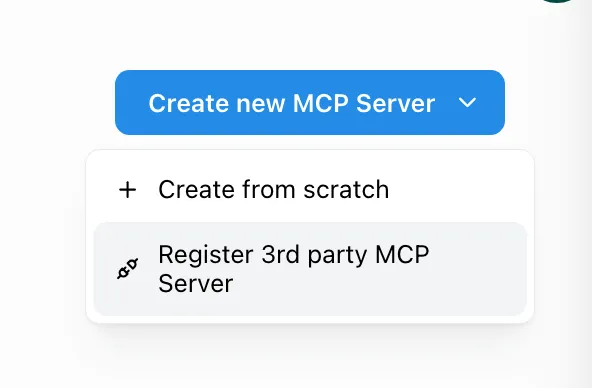
To get started, make sure you have admin access, then navigate to the MCP Servers tab and click Create New MCP Server. This time, select Import a Third-Party MCP Server.
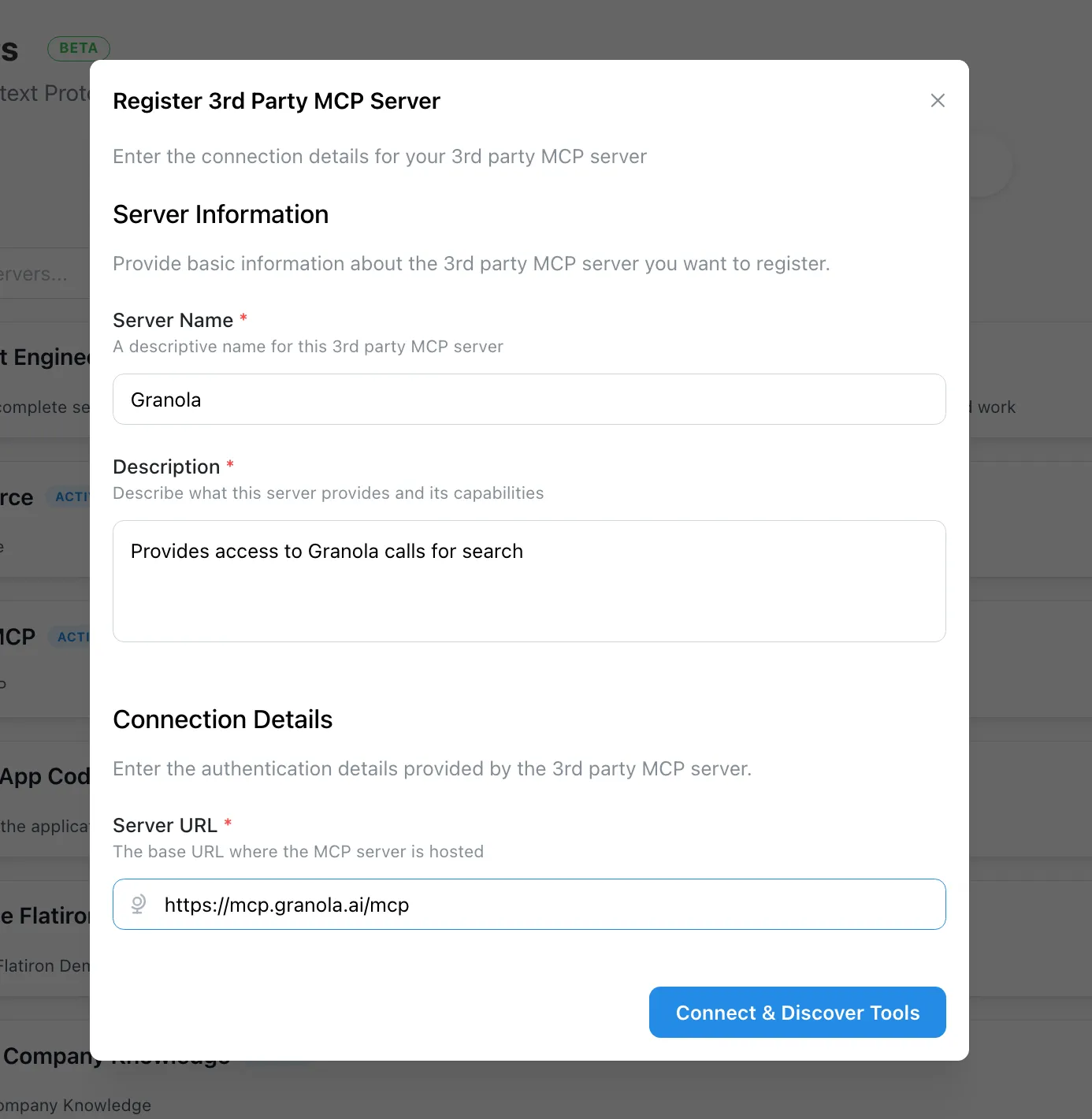
Give it a name and description, then paste in the server’s remote URL.
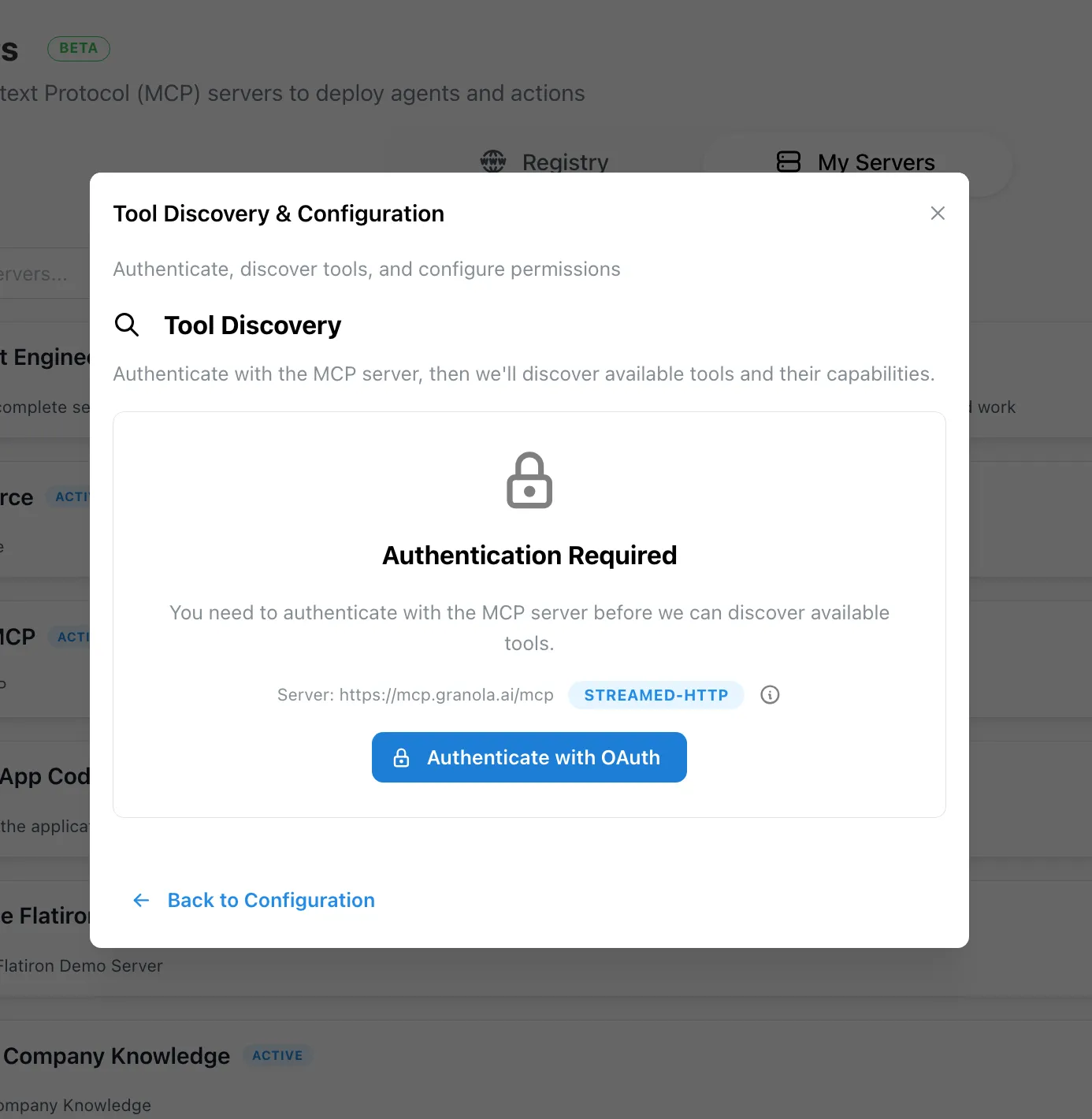
Credal will walk you through OAuth authentication with the provider to establish the connection.
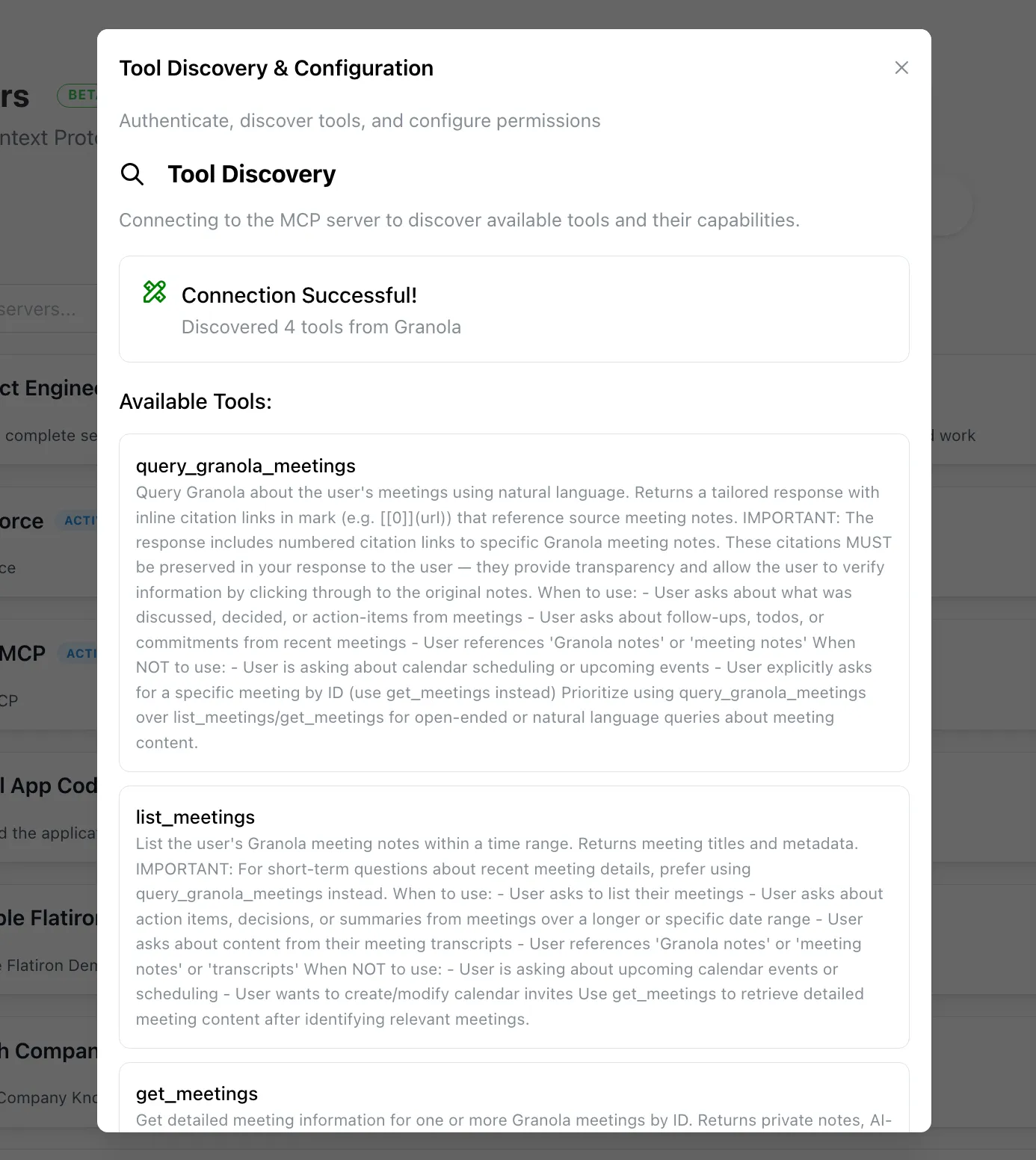
Once connected, you’ll see a full list of the server’s tools, which you can configure and control from that point on.
Credal currently supports OAuth for third-party authentication, with support for user-level private tokens coming in the future.
Once registered, you can configure tool-level controls in Setting up Controls and deploy the server to your users following Publishing the server.