

Customizing Actions
Credal allows you to assign custom names and descriptions to actions, making them more intuitive and aligned with your organization’s business logic and terminology.
Why Customize Action Names and Descriptions?
Third-party integrations and MCP servers often expose actions with technical names that may not reflect how your team thinks about these operations. Custom names and descriptions help:
- Align with Business Terminology: Use names that match your organization’s vocabulary and processes
- Improve Discoverability: Make actions easier to find and understand for team members
- Enhance Agent Performance: Clear, business-focused descriptions help AI agents select the right actions more accurately
- Simplify Onboarding: New team members can understand what actions do without learning technical jargon
How to Customize
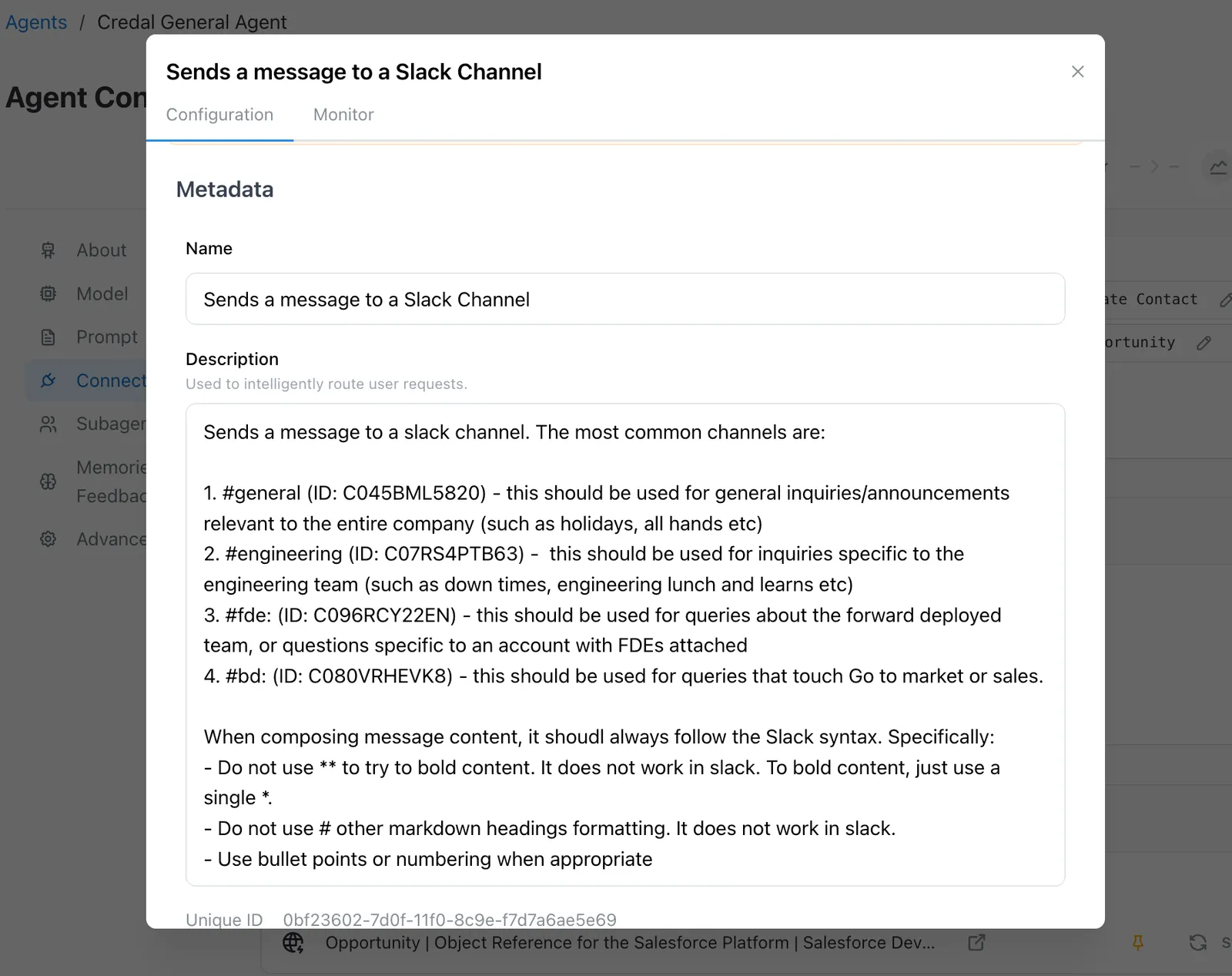
When configuring an action, you can override the default name and description:
- Navigate to the action you want to customize in the Actions section
- Click on the action to open its settings
- Edit the Name field to provide a custom, business-friendly name
- Update the Description field to explain what the action does in terms relevant to your organization
Best Practices
- Be Descriptive: Use clear, concise names that immediately convey the action’s purpose
- Include Context: Add business context in descriptions (e.g., “Creates a Jira ticket in our Support queue” instead of “Create Jira issue”)
- Stay Consistent: Use consistent naming conventions across similar actions
- Think About Discovery: Consider how users will search for this action when naming it
Custom names and descriptions only affect how actions appear within Credal. The underlying integration or MCP server functionality remains unchanged.
You can distribute and scale usage of your customized actions in any surface through our custom MCP servers. Your HR, Finance, Product, etc. team can then manage their own blessed set of tools for the entire organization to use.