

Testing your solution
Basic Testing
Great! Now that you’ve setup your snowflake action you can start testing it.
Before we get into testing your query lets take a step back and ensure that our snowflake connection is working and we have the correct permissions to query the tables that we’re interested in.
For this we can create a generic runSnowflakeQuery Action with all parameters predefined, where the query parameter is a simple query:
Then simply ask your agent to run the action it has attached and get the data back to you.
Testing Steps
Now that we’ve tested something basic, we can test out our Snowflake Agent.
- Ensure connection and permissions are setup by following basic testing steps above.
- Ask an Agent to answer a question based on the tables it has available (e.g
Give me the revenue for (Company Name) in (Year Number)) - Wait until the response is generated to look at query ran, the query results, and the output.
Example Action Ran (Views Approach)
- This result was using snowflake data we have at credal.
- Once the data is queried, it’s passed to a thinking model or Open AI Code Interpreter to be processed.
- The image generated comes from Open AI Code Interpreter.
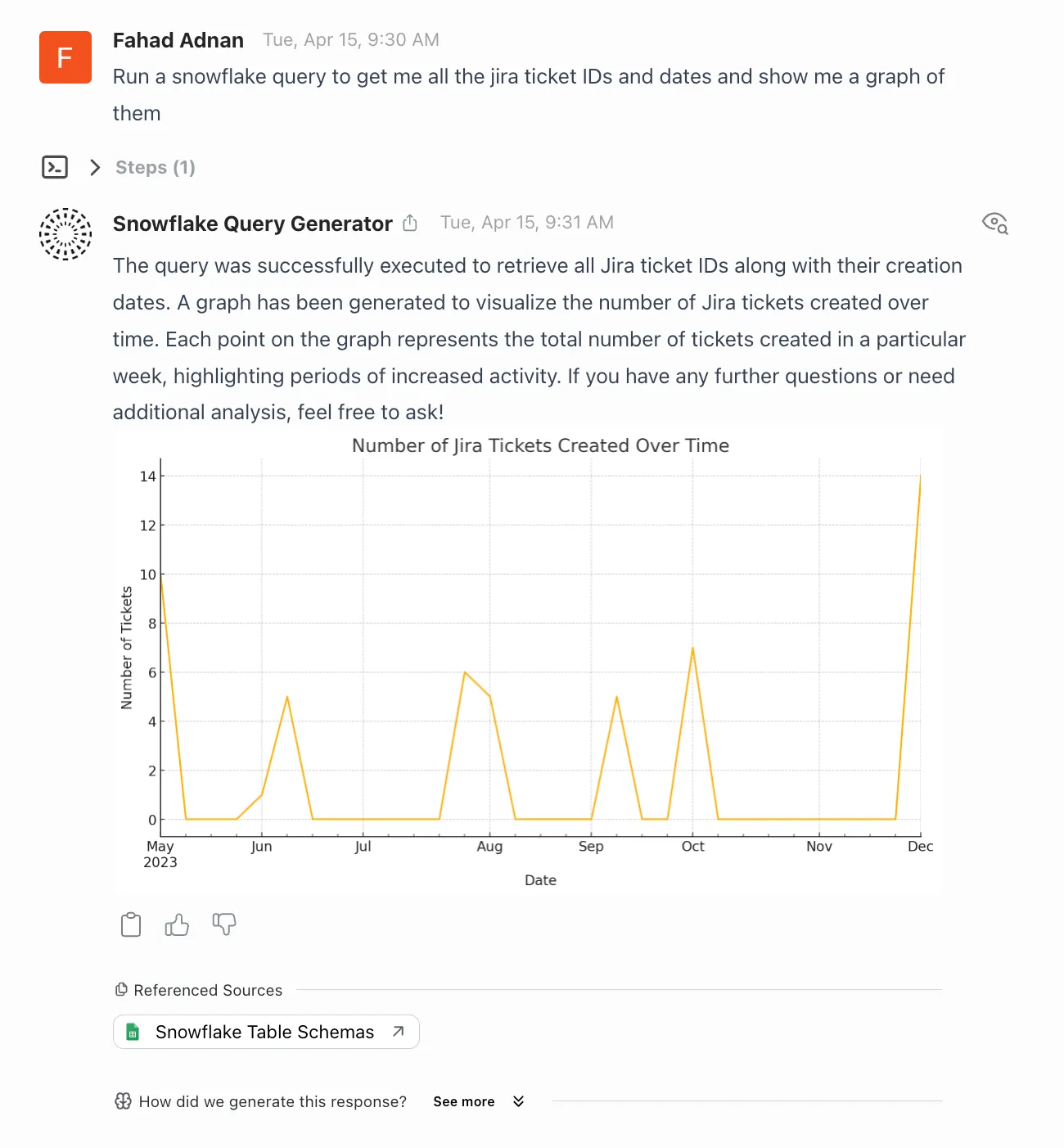
Example Action Output
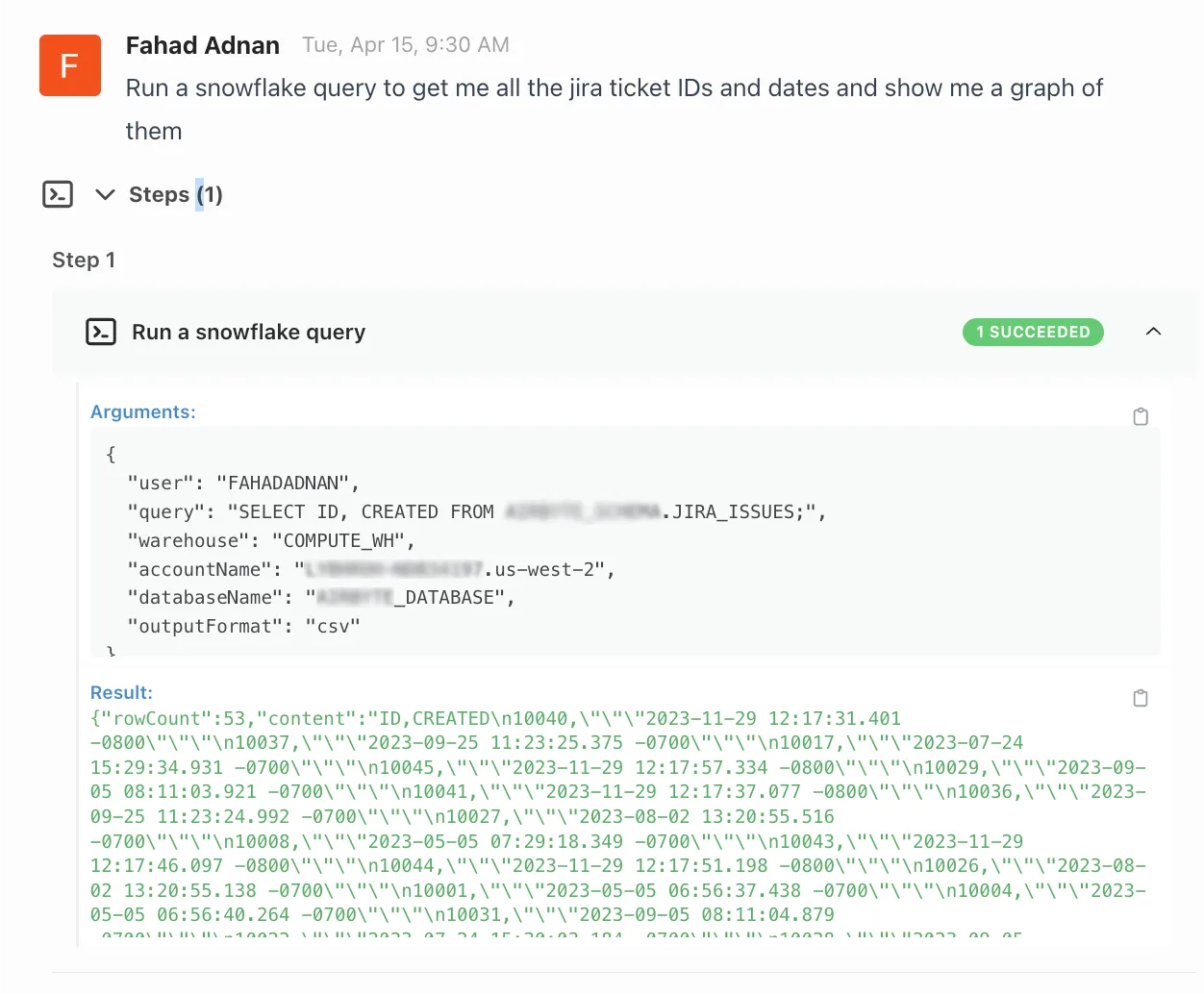
- You can see the action parameters and output if you click the Steps Table
- Debugging Tip: the steps tab is not shown if an action was not run
Need Help?
The Snowflake Action is a powerful tool - if you have any questions or need help feel free to reach out to us at contact support@credal.ai.